
Confirm address
Learn how to confirm blockchain addresses automatically or manually using API and webhooks.
Confirm address
When you receive travel rule messages from another entity, such as a Virtual Asset Service Provider (VASP), they may require you to confirm that the destination address is yours. If not, you should redirect or reject the transfer.
You can automatically confirm a blockchain address is yours in two ways:
- Preferred Method: Add ‘Relationships’ via our API.
- Alternative Method: Use a webhook to automate the check.
Addresses can also be manually confirmed through the Dashboard until automation is set up.
Relationships
Relationships act like a contacts book, registering connections between entities, such as addresses to VASPs. These help manage and track associations within the network.
- When a transfer is created, all relationships are saved in your Relationships table.
- Relationships involving your entity are marked as
Confirmed. Others areUnconfirmed. - Confirmed relationships are hashed and saved in Notabene's Hashed Address Service, keeping your addresses in sync and discoverable.
Adding ‘Relationships’ via our API
To ensure discoverability as the owner of a destination address, pre-load your addresses as relationships. These confirmed addresses will be hashed and stored in the Notabene hashed address service.
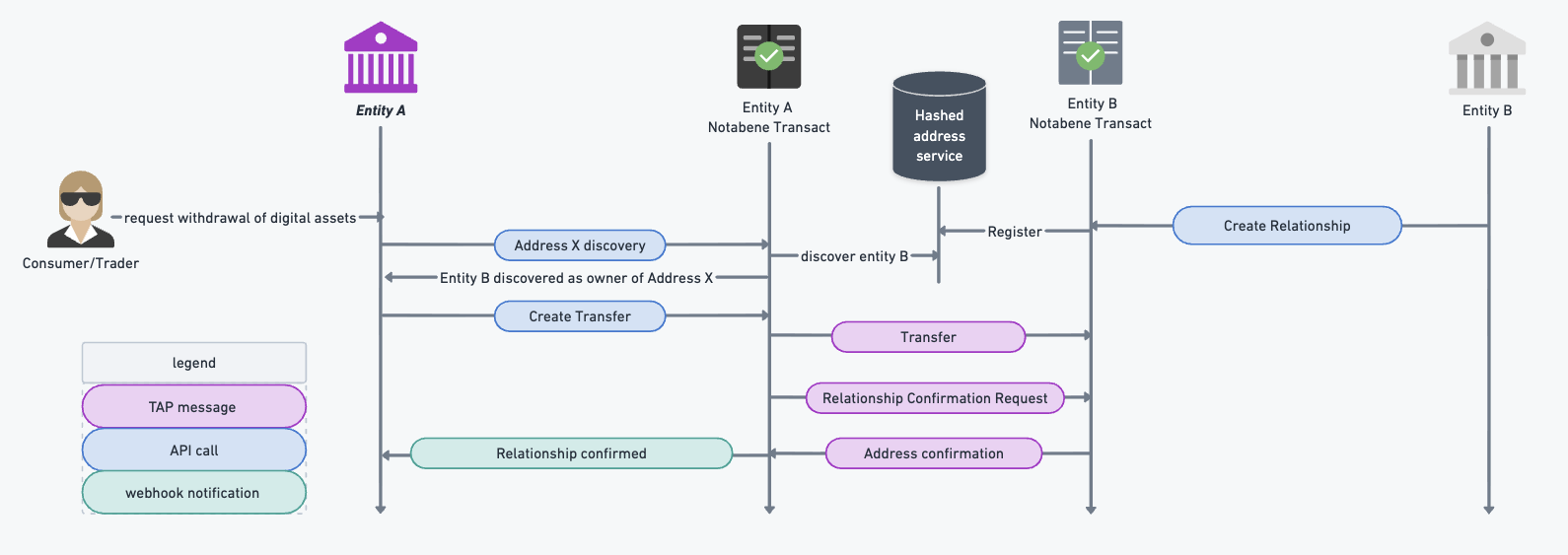
API Specification:
Register a relationship, especially a deposit address to your entity:
{{url}}/vasp/:vasp/relationship
{
    "from": "e.g. settlement address -did:pkh:0x...",
    "to": "your VASP DID - did:web:name",
    "custodian": "your LP/MM/Custodian DID - did:web:name - optional"
}
Register all active deposit addresses to facilitate smooth and fast confirmation.
Address confirmation via webhook
To confirm address ownership on a case-by-case basis without pre-loading hashed addresses, use the webhook flow.
- When a counterparty requests confirmation, you'll receive a webhook with a callback URL.
- Unconfirmed relationships are created in your database.
- Call the
confirmCallbackUrlto confirm the address, or reject the transfer.
Event to subscribe to: tap.requireRelationshipConfirmationRequested. More details are here.
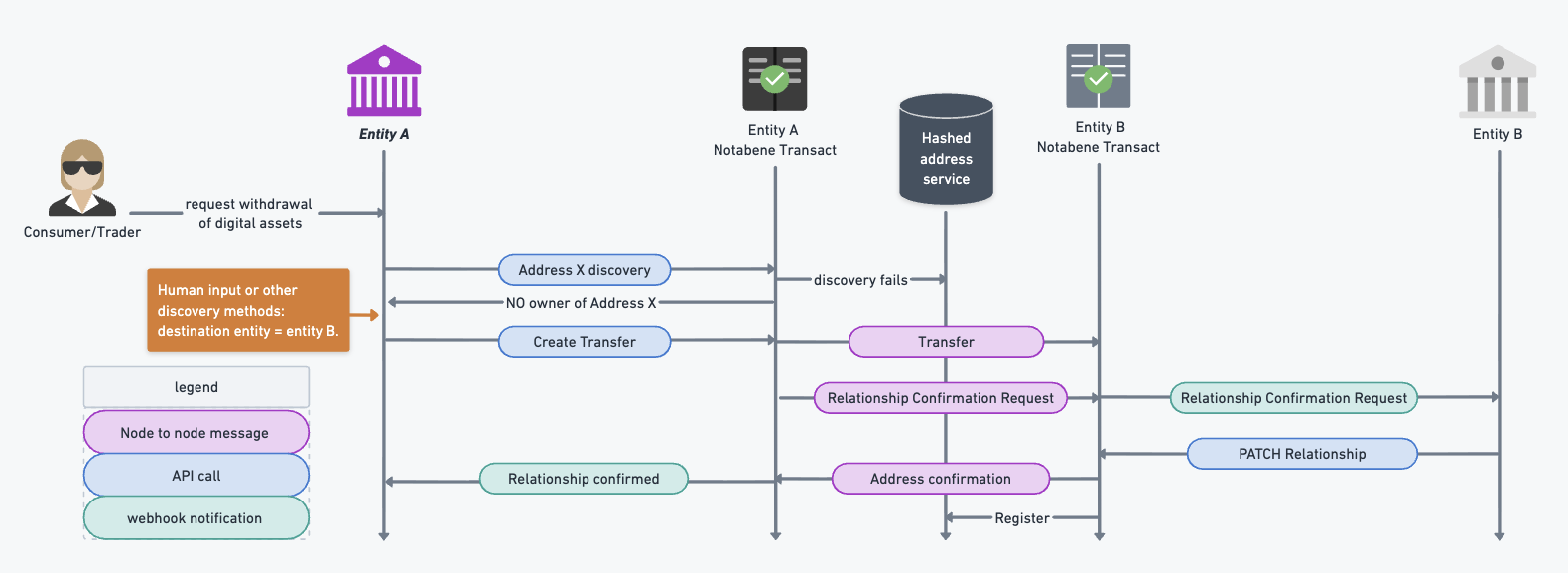
When a relationship is confirmed, a message is sent to the counterparty with your confirmation.
Updated 10 months ago