

Configuration
Refinitiv / LSEG World-Check One
Group ID
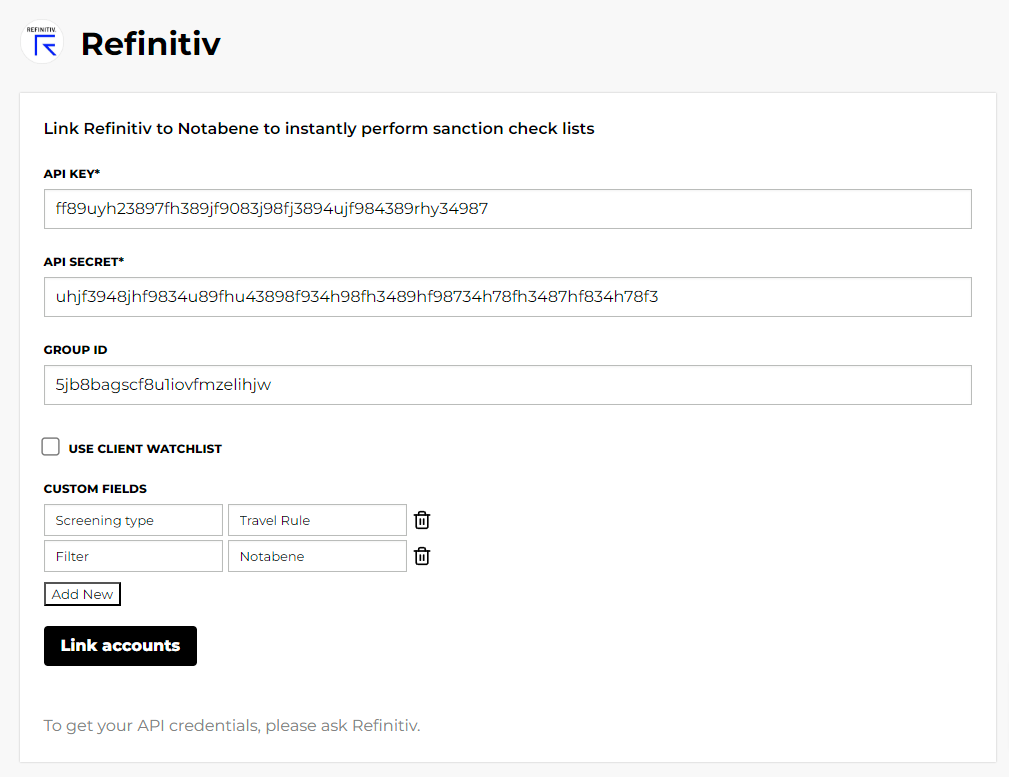
Go to "admin," then "groups" and open your browser console. Click on the group where you want the travel rule screenings to go and find what looks like a string with random numbers and letters in the name column.
Click on it and confirm it has the right groupName. If so, copy and paste the ID into Notabene.
Client watchlist
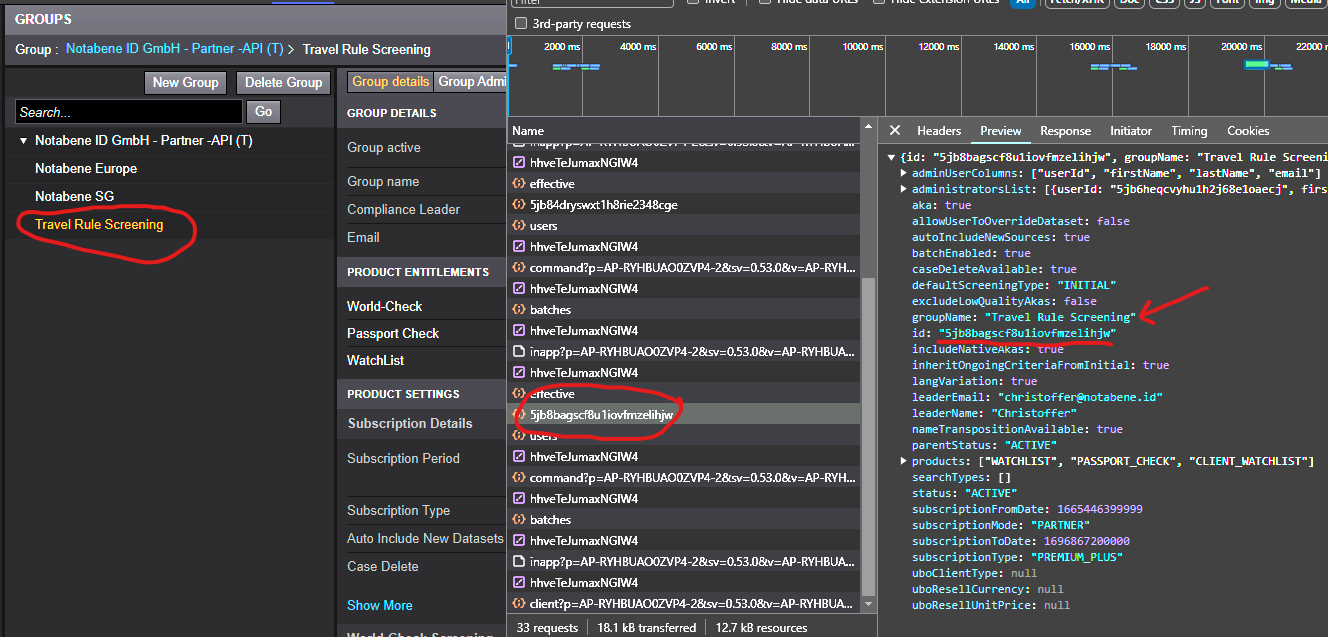
If your group is using client watchlist, you need to enable the checkbox
Custom fields
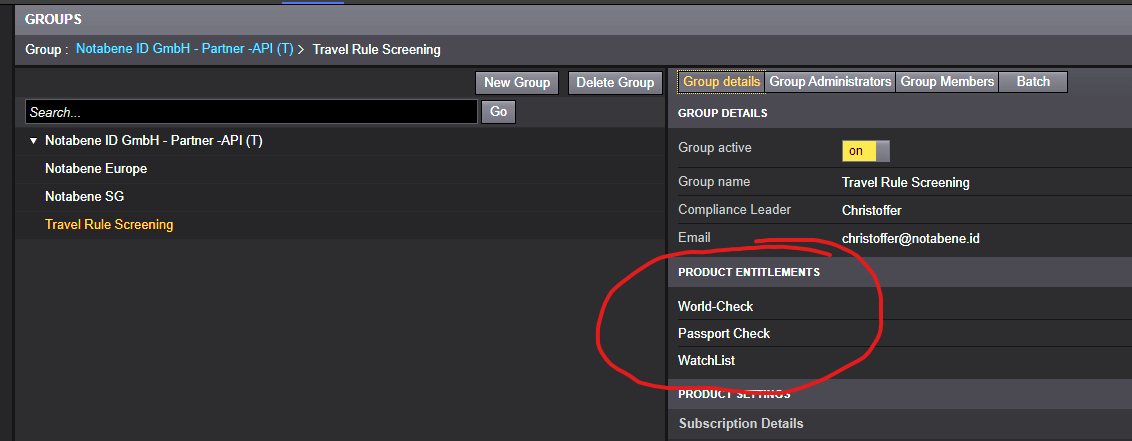
If your group has mandatory custom fields, you will have to add these as well:
ComplyAdvantage
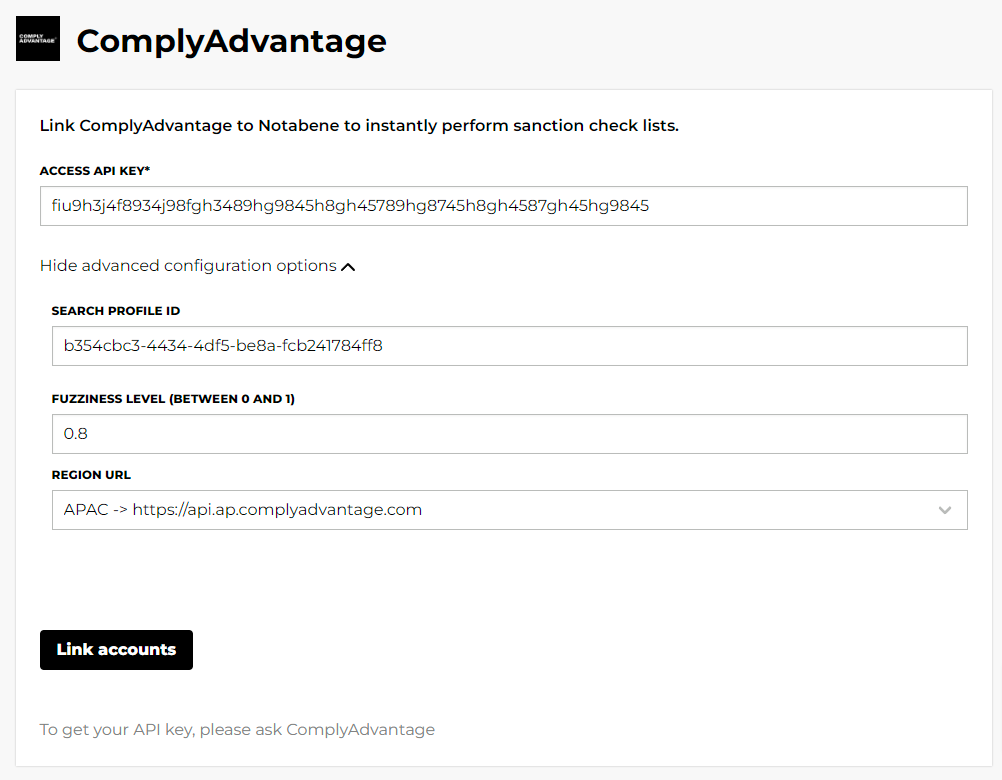
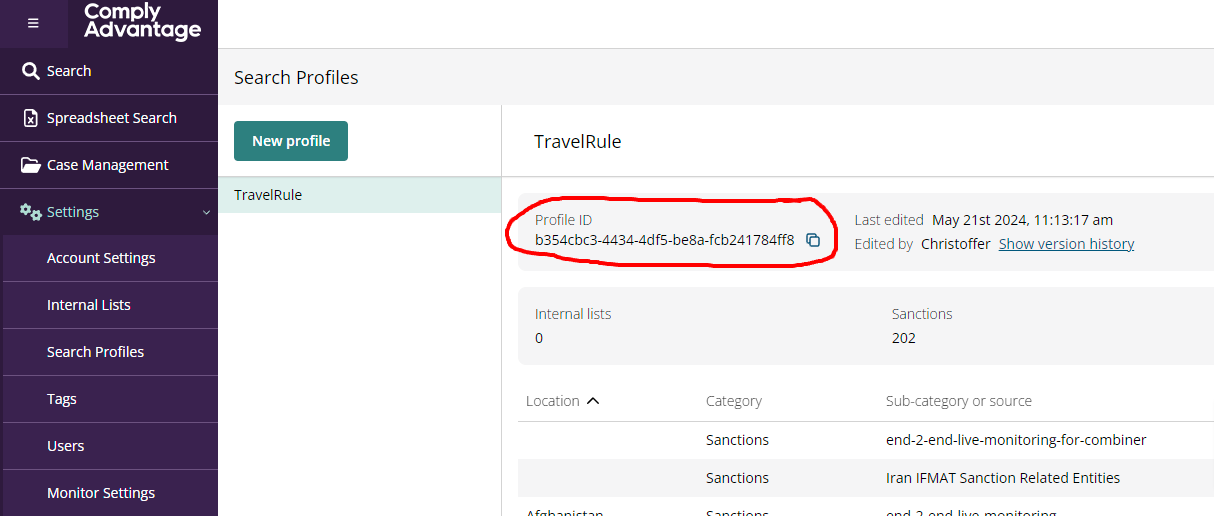
Search profile ID
If you have a specific screening configuration that you want to use when screening through Notabene, copy-paste the profile ID:
Fuzziness level
If you wish to override the default value when screening the name in a travel rule message.
The higher the value (close to or at 1), the more accurate a potential match must be before it is flagged.
LexisNexis WorldCompliance
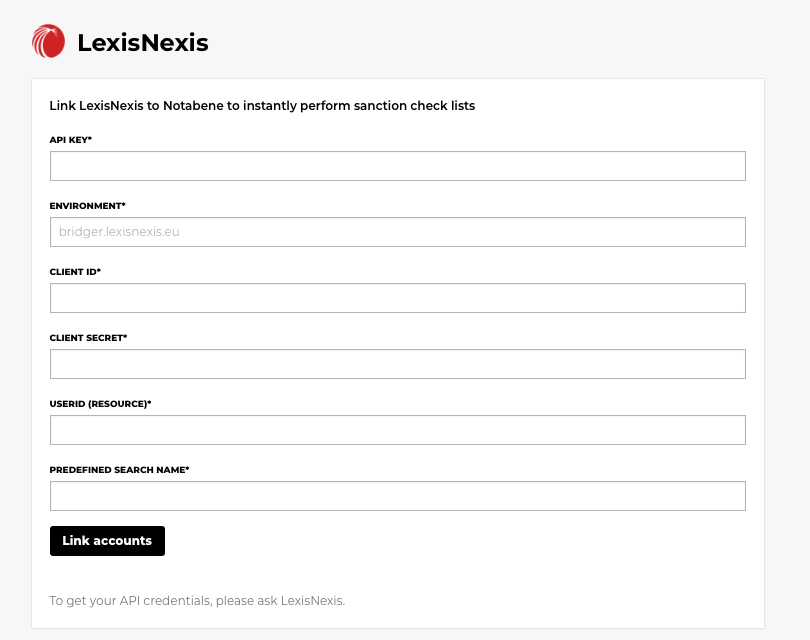
LexisNexis provides the values for every field. Notabene uses the client ID, client secret and UserID (resource) to get an access token from LexisNexis, and sends each screening with that token and your API key.
Environment
The host name of the LexisNexis environment you connect to, without https://:
- bridgerstaging.lexisnexis.com (test)
- bridger.lexisnexis.com (production)
- bridger.lexisnexis.eu (production, EU)
Predefined search name
The name of the predefined search in LexisNexis that Notabene runs for each Travel Rule screening. For example: "List Screening".
Updated 5 days ago