

Transfers
A transfer moves crypto or stablecoins from an originator to a beneficiary, each of them a customer of an institution. Before the funds move, the two institutions exchange the Travel Rule data about the transfer.
Three separate things
The transfer
The record of the movement, with its parties and its statuses. Both institutions keep their own copy.
The Travel Rule data
The originator’s and the beneficiary’s details, sent from one institution to the other.
The settlement
The movement of the funds on the blockchain, recorded on the transfer with its transaction hash.
| What | What it is |
|---|---|
| The transfer | The record of the movement, with its parties and its statuses. Both institutions keep their own copy. |
| The Travel Rule data | The originator’s and the beneficiary’s details, sent from one institution to the other. |
| The settlement | The movement of the funds on the blockchain, recorded on the transfer with its transaction hash. |
Authorization comes first and does not depend on the settlement, so a transfer can be authorized and not yet settled, or settled before every institution has authorized it.
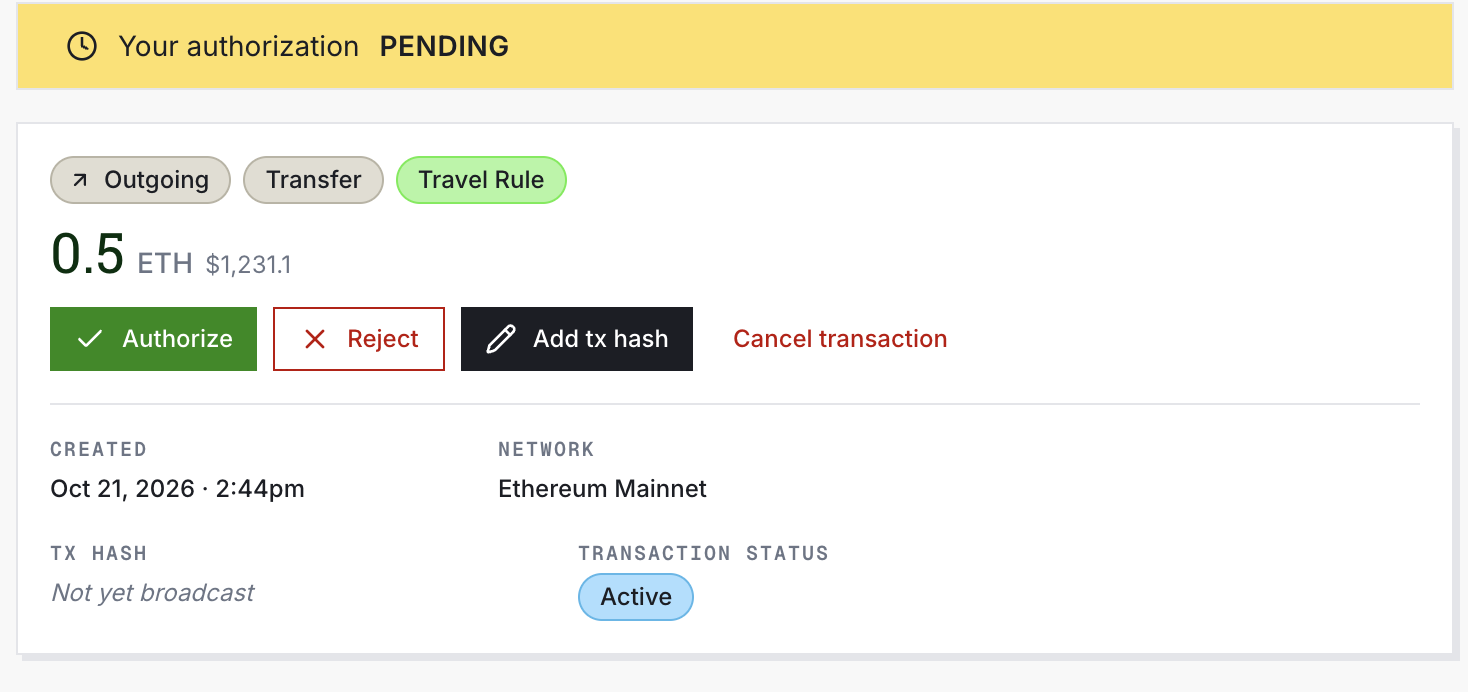
What each institution sees
Each institution keeps its own record of the transfer and they share only what they send each other, so two institutions can show different statuses for the same transfer.
| On the transfer | What it says | Who sees it | In the dashboard |
|---|---|---|---|
| Your verdict | What your policies decided: approve, flag or reject. Policies explains it. | Only you | The transaction’s timeline |
| Your status | Where your institution stands: Pending, Authorized, Rejected or Canceled. | Every institution on the transfer | My Status, in the transaction list |
| Requirements | What must happen before an institution can be authorized, such as receiving the Travel Rule data. | Every institution on the transfer | Requirements, on the transaction page |
| Transaction status | Where the transfer stands across every institution and the settlement, such as Active or ReadyToSettle. | Every institution on the transfer | Transaction status, in the transaction list |
| On the transfer | What it says | Who sees it | In the dashboard |
|---|---|---|---|
| Your verdict | What your policies decided: approve, flag or reject. Policies explains it. | Only you | The transaction’s timeline |
| Your status | Where your institution stands: Pending, Authorized, Rejected or Canceled. | Every institution on the transfer | My Status, in the transaction list |
| Requirements | What must happen before an institution can be authorized, such as receiving the Travel Rule data. | Every institution on the transfer | Requirements, on the transaction page |
| Transaction status | Where the transfer stands across every institution and the settlement, such as Active or ReadyToSettle. | Every institution on the transfer | Transaction status, in the transaction list |
A requirement is set by one institution and usually met by the other, and Requirements lists each one. On a deposit, for example, the receiving institution sets the requirement to receive the Travel Rule data, and the sending institution meets it by sending that data. The name check is one the receiving institution sets and meets itself. Every value of every status is listed in Statuses.
How a transfer moves
Create
The originator’s institution creates the transfer. Notabene finds the beneficiary’s institution from the address, or the transfer names it.
Evaluate
Each institution’s policies evaluate it, and the requirements on each side open.
ApproveFlagReject
Authorize
Each institution is authorized once its verdict is to approve and its requirements are met. A flagged transfer waits for a person on that institution’s team.
PendingAuthorized
Settle
When every institution is authorized, the status is ReadyToSettle. The originator’s institution sends the funds and records the transaction hash.
ReadyToSettle
- The originator’s institution creates the transfer. Notabene finds the beneficiary’s institution from the address, or the transfer names it.
- Each institution’s policies evaluate it, and the requirements on each side open.
- Each institution is authorized once its verdict is to approve and its requirements are met. A flagged transfer waits for a person on that institution’s team.
- When every institution is authorized, the status is ReadyToSettle. The originator’s institution sends the funds and records the transaction hash.
Withdrawals walks through these steps as the sender and Deposits as the receiver, including a deposit that arrives before its data. Every step is recorded in your audit log, which Security and status explains.
For your developers
Statuses and decisions in the API shows where your backend reads each of these on a transfer, with a transfer read through the API.
Updated 11 days ago