
Understanding the Transfer Status
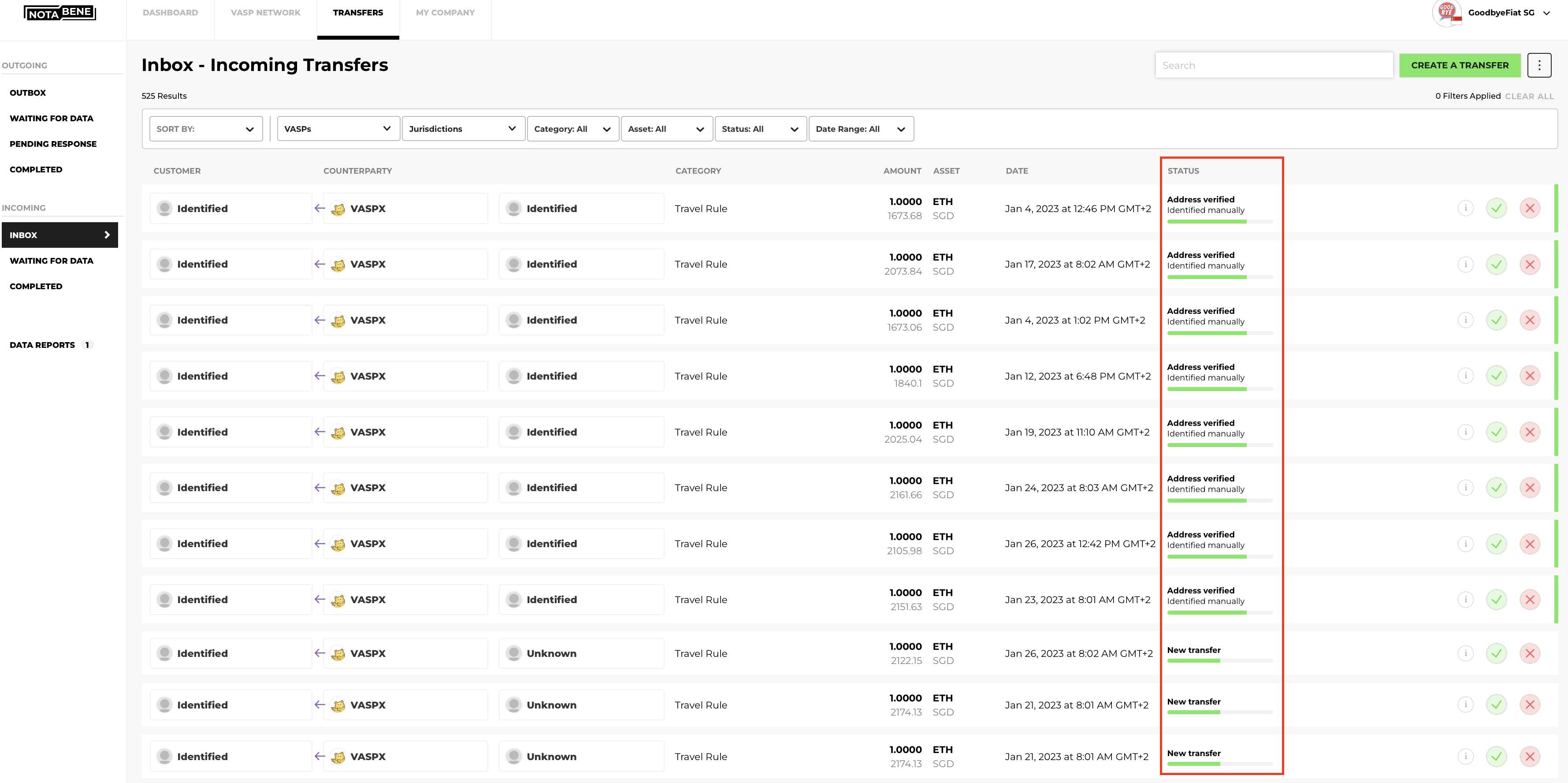
When reviewing transfers in the "Transfers" tab, you'll notice a column labeled "Status," which indicates the current state of each transfer. Beneath each status, additional details explain how it was determined - whether by your counterparty, your team via manual review, or through automated processing by the rules engine.
As the Originator VASP (sender), you can see the following statuses:
| UI Status | API status | Section | Description |
|---|---|---|---|
| Ready to send | NEW | Outgoing: Outbox | The data transfer has been created and is waiting for your approval. |
| Request sent | SENT | Outgoing: Pending Response | The data transfer information has been sent to the Beneficiary VASP. |
| Request received | ACK | Outgoing: Pending Response | The data transfer has been acknowledged by the Beneficiary VASP. |
| Declined | DECLINED | Outgoing: Completed | The data transfer has been declined by the Beneficiary VASP. |
| Accepted | ACCEPTED | Outgoing: Completed | The data transfer has been accepted by the Beneficiary VASP. |
| Rejected | REJECTED | Outgoing: Completed | The data transfer has been rejected as the VASP does not own the the wallet address. |
| Cancelled | CANCELLED | Outgoing: Completed | The data transfer has been cancelled by the Originator VASP |
| Pending contact information | WAITING_FOR_INFORMATION | Outgoing: Waiting for data | Transfer to a VASP that is not reachable. Notabene is searching for the relevant contact point. |
| Missing data | INCOMPLETE | Outgoing: Waiting for data | Transfer created by the beneficiary VASP who is requesting additional data. |
| Missing beneficiary data | MISSING_BENEFICIARY_DATA | Outgoing: Waiting for data | There is missing beneficiary data. |
| Not ready to respond | NOT_READY | Outgoing: Completed | The beneficiary VASP is not ready to respond to this transfer. Additional reasons might be provided. |
| Stored | SAVED | Outgoing: Completed | It refers to an unhosted wallet or a transaction below the threshold. |
As the Beneficiary VASP (receiver), you can see the following statuses:
| UI Status | API status | Section | Description |
|---|---|---|---|
| Missing Data | INCOMPLETE | Incoming: Waiting for data | A transfer created by you for a deposit without the accompanying travel rule data. |
| New transfer | SENT | Incoming: Inbox | The data transfer has been sent by the Originator VASP and is awaiting your response. |
| Address verified | ACK | Incoming: Inbox | You received and acknowledged the data transfer. |
| Accepted | ACCEPTED | Incoming: Completed | You have approved the data transfer. |
| Rejected | REJECTED | Incoming: Completed | You have rejected the data transfer. |
| Declined | DECLINED | Incoming: Completed | The data transfer has been declined by the Beneficiary VASP. |
| Cancelled | CANCELLED | Incoming: Completed | The originator VASP cancelled the travel rule transfer. |
| Stored | SAVED | Incoming: Completed | Transfers that are exempt from the travel rule requirements. |
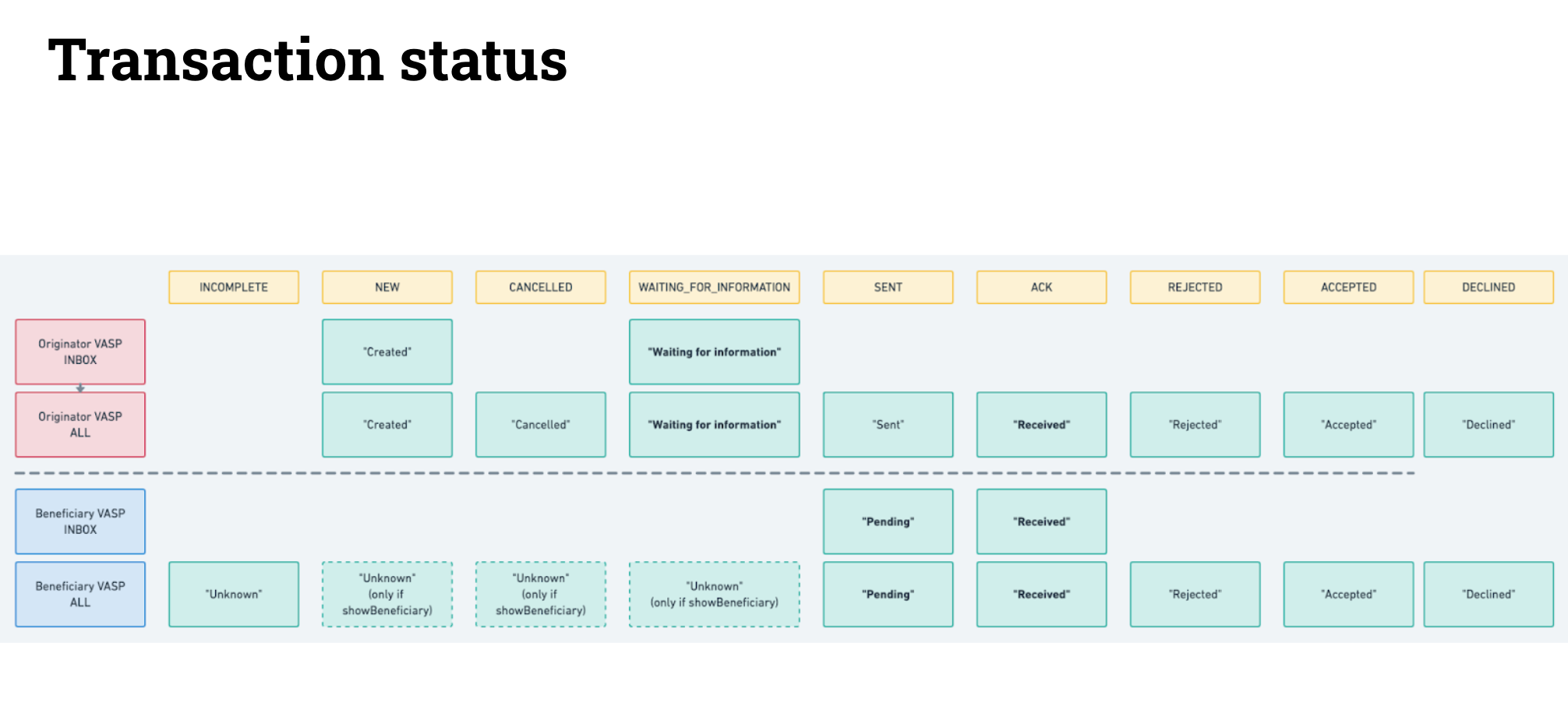
The visual representation below provides a clearer understanding of what each status means.
For more details on filtering transfers by status, refer to this article. If you still have questions, feel free to contact our Support team.
Updated about 1 hour ago
Did this page help you?