
DIDdoc setup
Introduction
Notabene Transact makes use of DIDComm messaging, Web DIDs and DIDocs .
For Sandbox entities, your didDoc is published by Notabene, and the steps outlined below are not required
DIDdoc setup for production entities
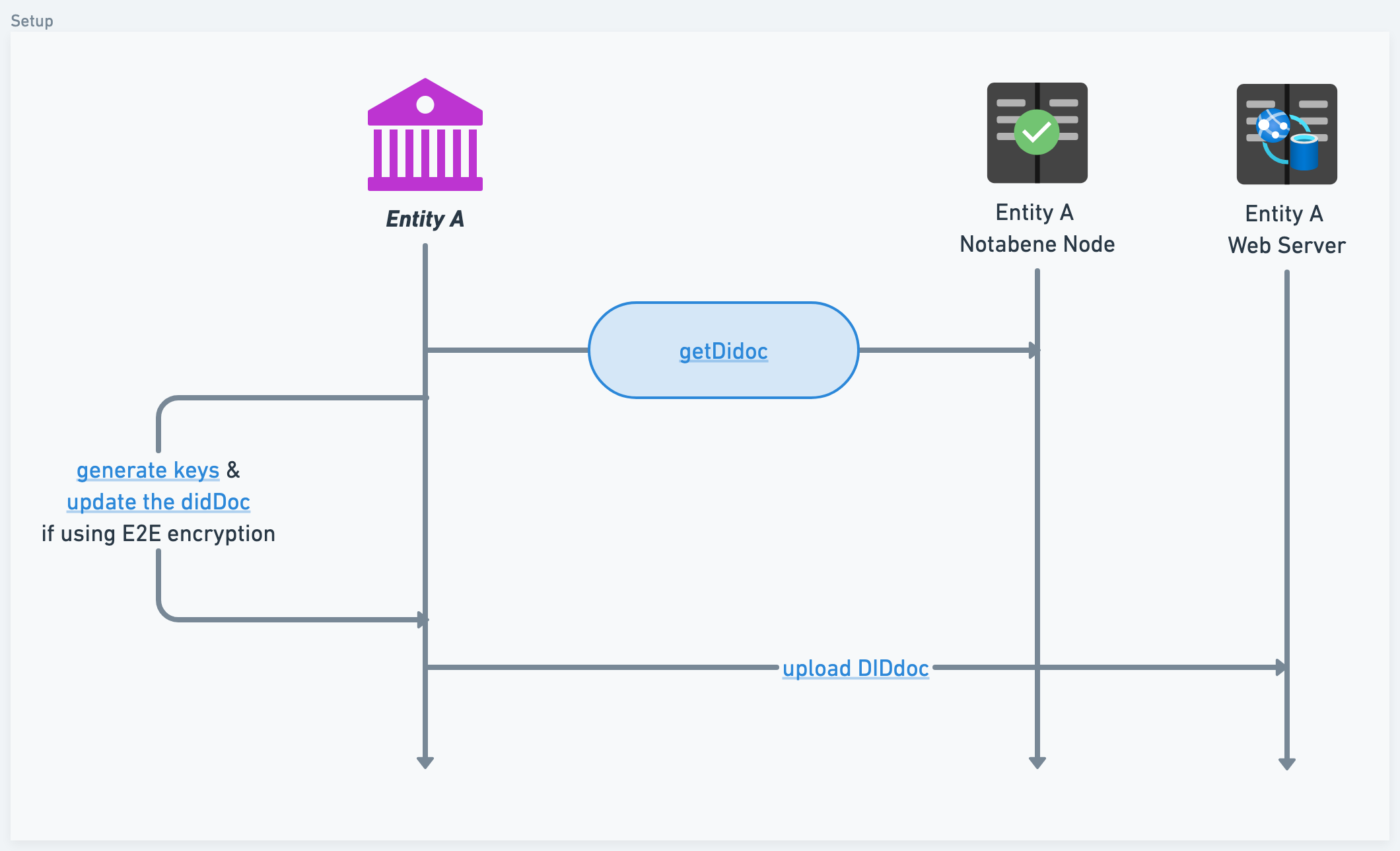
When creating a production VASP on the Notabene network, we will create a DIDdoc for you. You can find it at the following path:
{{baseUrl}}/entity/{{entityDID}}/diddoc
Examplehttps://api.eu1.notabene.id/entity/did:web:notabene.id:test:no/diddoc
Click to see the DIDdoc generated by Notabene when you create your account
The DIDdoc will have to be available under a specific path on your domain; the path is the following:
yourDomain/countryCode/did.json
Examplehttps://notabene.id/test/no/did.json
Click to see an uploaded DIDdoc
Note: anything created in the sandbox environment has /test/
If your account doesn't have a jurisdiction, you can host the did:doc here:
yourDomain/.well-known/did.json
This can be done, either:
- by copying the DIDdoc over to the path
{{baseUrl}}/{{jurisdiction}}/did.json - by redirecting from
{{baseUrl}}/{{jurisdiction}}/did.jsonto{{baseUrl}}/entity/{{entityDID}}/diddoc
Updated about 3 hours ago