
Webhooks
There are three parts to our guide about webhooks: setup, basics and details
Notabene webhooks enable your system to receive real-time, event-driven notifications about transfer lifecycle changes and Travel Rule compliance steps. Rather than polling the API for updates, webhooks push structured messages to your endpoint whenever a transfer is created, requires authorization or PII, changes state, or completes settlement.
These events fall into two categories:
TAP Events: Compliance-specific messages that guide your integration through required steps such as authorization and PII presentation.
Notification Events: Lifecycle messages about transfer status, agent changes, or settlement progress.
Leveraging webhooks reduces latency, simplifies orchestration logic, and ensures your system reacts deterministically to every meaningful state change in a transfer.
Notabene uses Svix as their webhooks-as-a-service provider, please see here for more information about them, or their developer information here.
Webhook setup
In the Notabene UI, you can enable the webhooks by going to the settings menu and then flipping the switch:
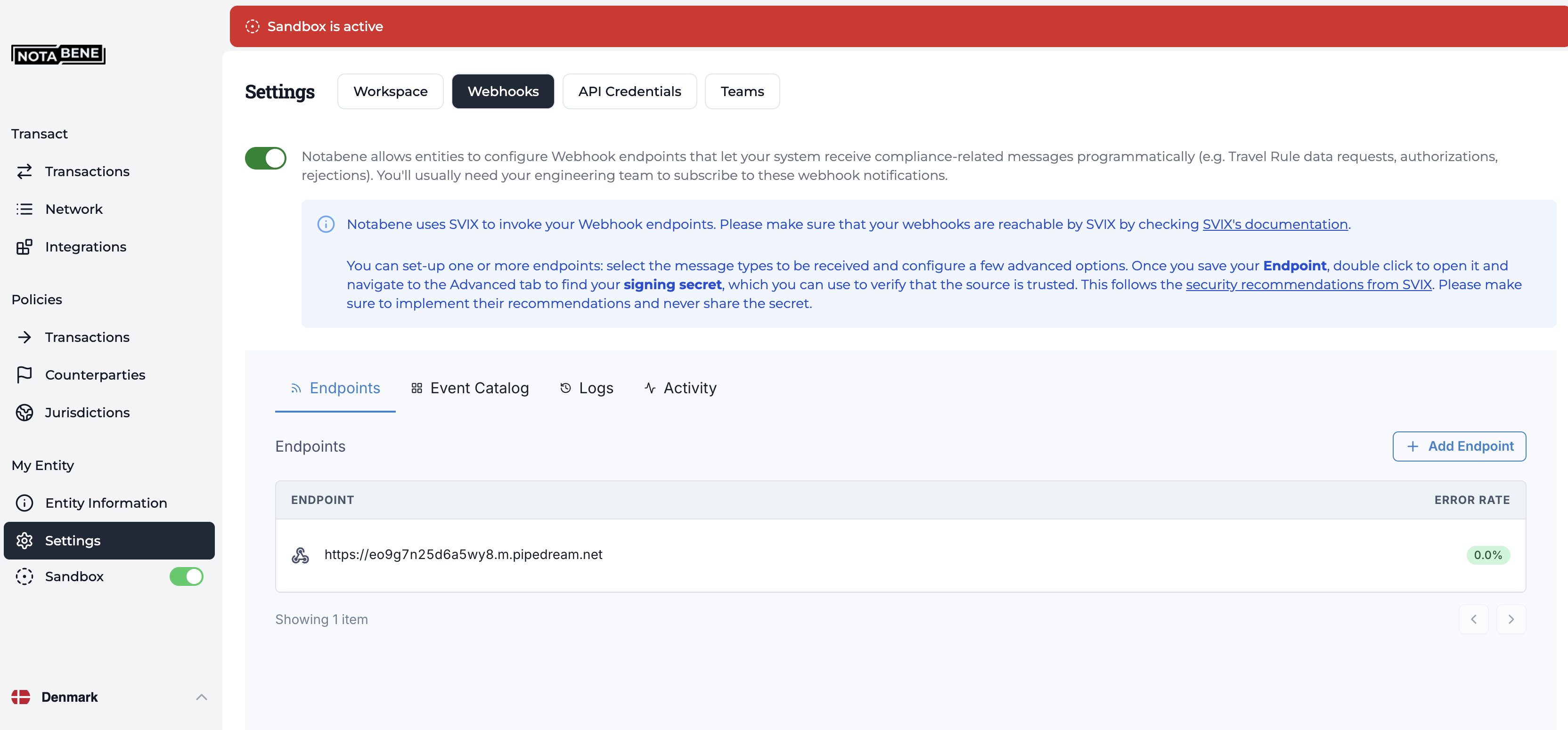
Besides adding your endpoint, you also need to select which events your wish to subscribe to.
We recommend that you start by enabling all the notification and TAP types, so that you can better evaluate which one will be needed for your setup.
IPs
In case your webhook receiving endpoint is behind a firewall or NAT, you may need to allow traffic from Svix's static IP addresses. Notabene customers that are hosted in the EU region need to whitelist the EU IPs, and customers hosted in our US region need to whitelist the US IPs.
https://docs.svix.com/receiving/source-ips
You can confirm your region by looking at the URL when you are logged in, for example, EU: https://app.eu1.notabene.id/
Security
Notabene uses Svix as our webhook-as-a-service provider, which means all webhook security features come from them:
Signature verification - Svix signs every webhook and its metadata with a unique key for each endpoint. This signature can then be used to verify that the webhook indeed comes from Svix, and only process it if it is.
https://docs.svix.com/receiving/verifying-payloads/how
https://docs.svix.com/receiving/verifying-payloads/how-manual
IP allow list - In case your webhook receiving endpoint is behind a firewall or NAT, you may need to allow traffic from Svix's static IP addresses. Notabene uses the European servers.
https://docs.svix.com/receiving/source-ips
`Additional Authentication- You can also enable things like HTTP basic authentication, or header-based authentication if required. We can also enable OAuth authentication for a fee.
https://docs.svix.com/receiving/additional-authentication
Retry / Failure
If your endpoint doesn't return a 2xx HTTP response, Svix will attempt to deliver each webhook message based on a retry schedule with exponential backoff:
Polling endpoints
If you cannot use webhooks for whatever reason, you can enable a polling endpoint to receive a stream of events when it is actively called.
https://docs.svix.com/receiving/using-app-portal/polling-endpoints
Headers
An example of how the headers will look:
{
    "host": "eo9g7n25d6a5wy8.m.notabene.id",
    "content-length": "206",
    "accept": "*/*",
    "content-type": "application/json",
    "svix-timestamp": "1764658269",
    "svix-id": "msg_36HKtJcmmJjtrAEuotUpKCg9MQ3",
    "svix-signature": "v1,VX41jhL+vO4fsZJT0ZI/2D9dT3IqWmWi8isE9+gr69g=",
    "user-agent": "Svix-Webhooks/1.81.0 (sender-9YMgn; +https://www.svix.com/http-sender/)"
}
Structure / Versioning
The webhooks you receive from Notabene will have the following structure:
- The type of message
- The actual payload
- The version
{
    "message": "tap.requireAuthorizationSatisfied",
    "payload": {
        "agentID": "40509fab-f7dc-4e46-942d-af2a0cd50723",
        "for": "did:web:notabene.id:test:dk",
        "id": "24f53156-3515-4679-8373-97b90c9c3003"
    },
    "version": "1.0.0"
}
Testing / Sandbox / Logs
Internally, we use Pipedream: https://pipedream.com/, or Svix Play: https://www.svix.com/play/
There, you can quickly generate a unique URL that you can register in the Notabene UI, which is usually easier than setting up this locally in the beginning:
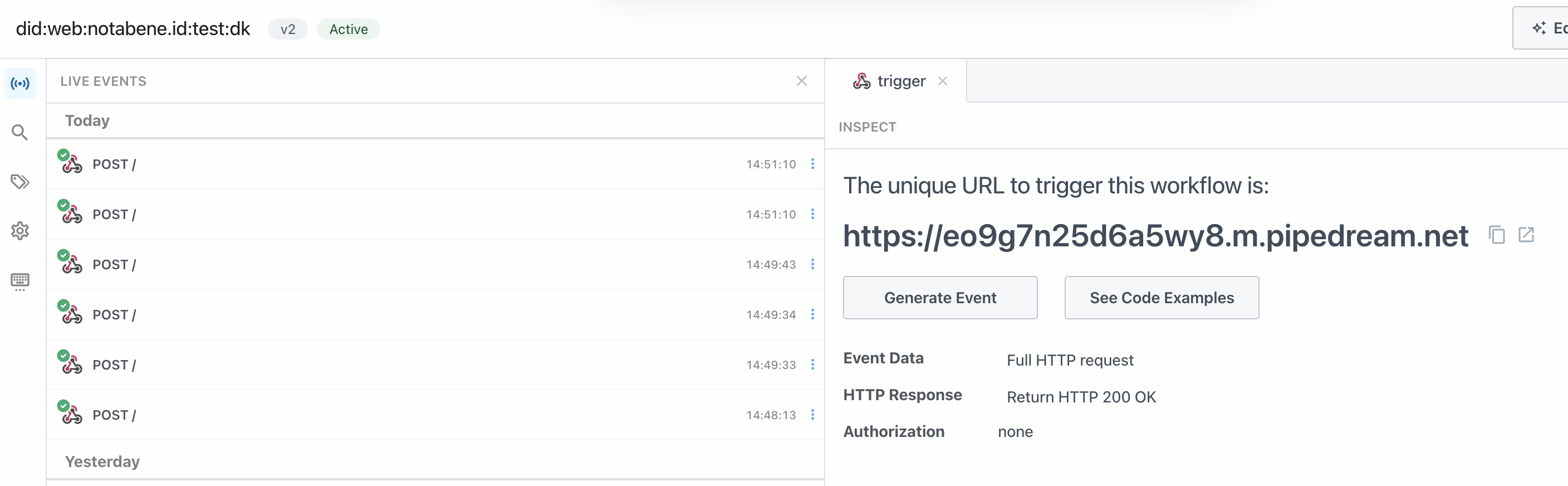
To actually trigger the webhooks, it is usually best to just call the different APIs that trigger them: txCreate, txAppend, confirmRelationship, etc.
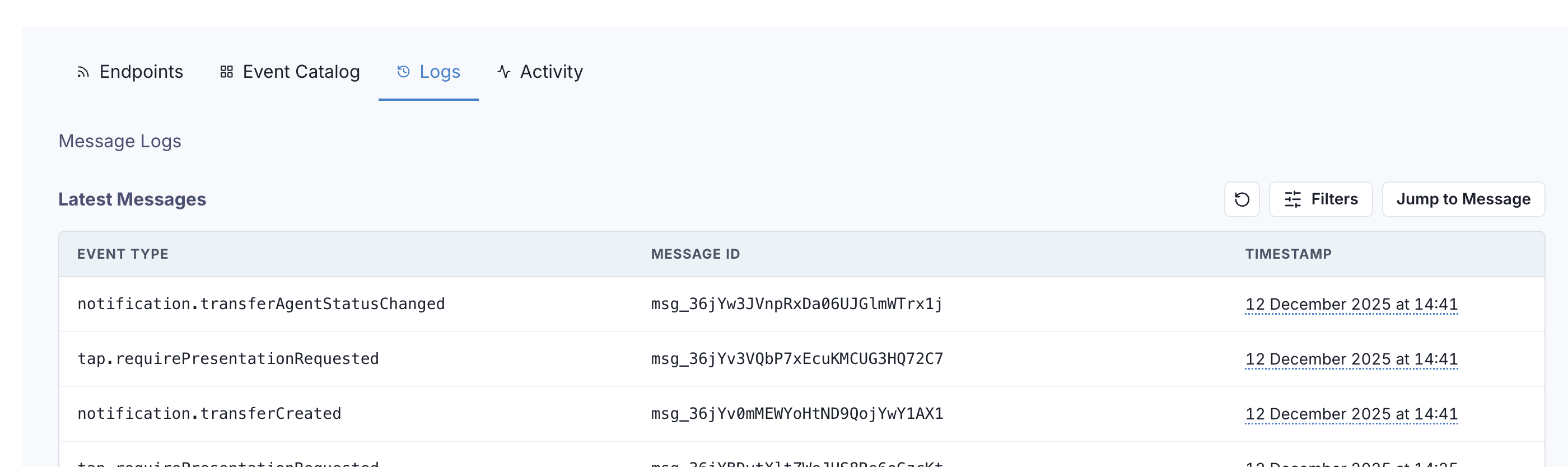
You can see the logs in the Svix interface that you find in the Notabene settings:
Updated about 3 hours ago