
Due Diligence Management
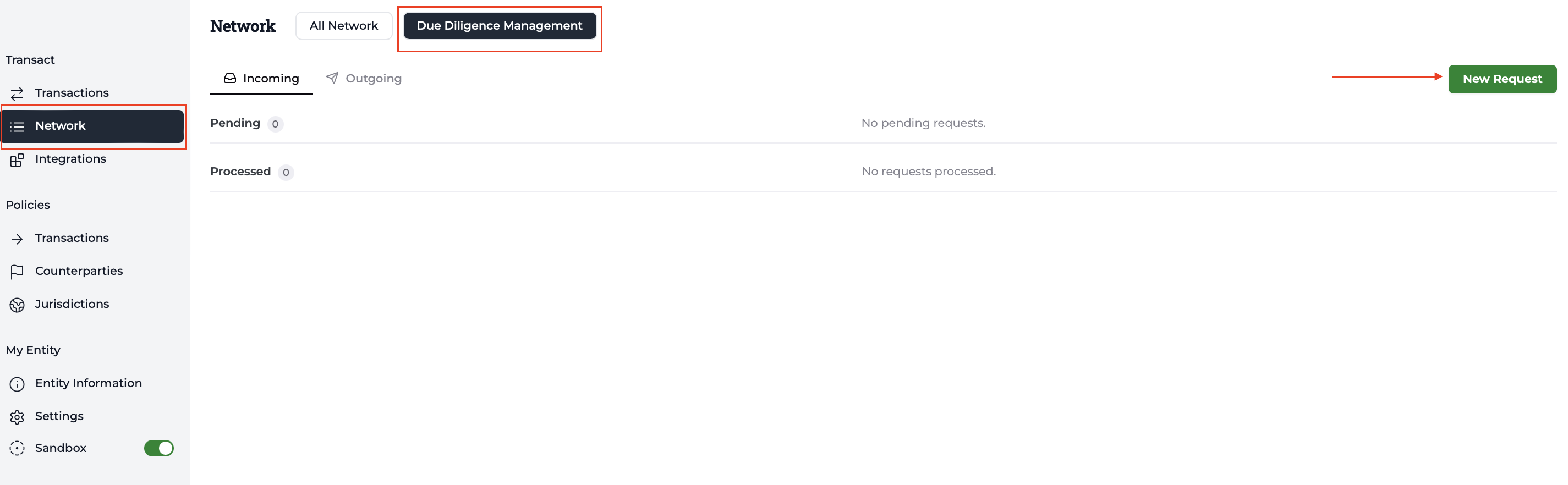
The Due Diligence Management section allows you to view your request history and track their status:
- Outgoing – requests you have sent to other VASPs.
- Incoming – requests received from other VASPs.
To send a new request:
- Go to Network
- Select Due diligence Management
- Click New request
- Enter the name of the VASP you wish to request information from.
- Click Send Request.
If you have not completed the questionnaire yet, you may find this guide helpful.
If you have any questions, feel free to contact us at [email protected].
Updated about 1 hour ago
Did this page help you?