
Search and Filter Transactions
To locate travel rule transactions efficiently, start by selecting the correct section (Action Required, Incoming, Outgoing, Completed, All). You can select All if you’re unsure of the transaction’s status.
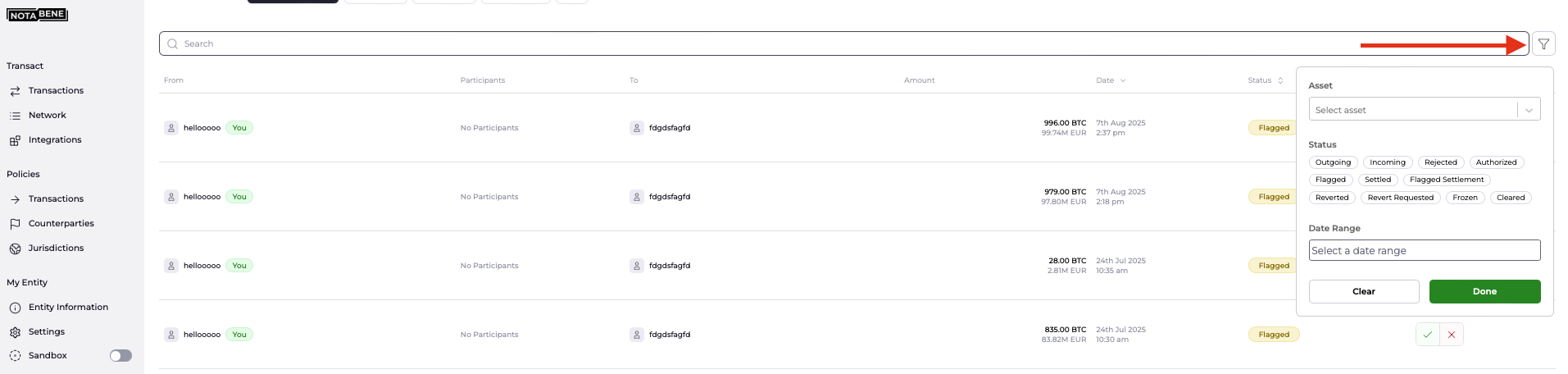
To identify a particular transfer or set of transfers, use the search bar and enter any of the following:
- Transaction ID (Notabene ID)
- Transaction Ref (Idempotency key)
- VASP name
- Blockchain address

Alternatively, If you're looking for a batch of transfers, use the filters in the top-right corner to narrow results by:
- Asset
- Status
- Date range
Still can’t find the transfer you’re looking for? Our Support team is here to assist you.
Updated about 1 hour ago
Did this page help you?