
Settings: Teams
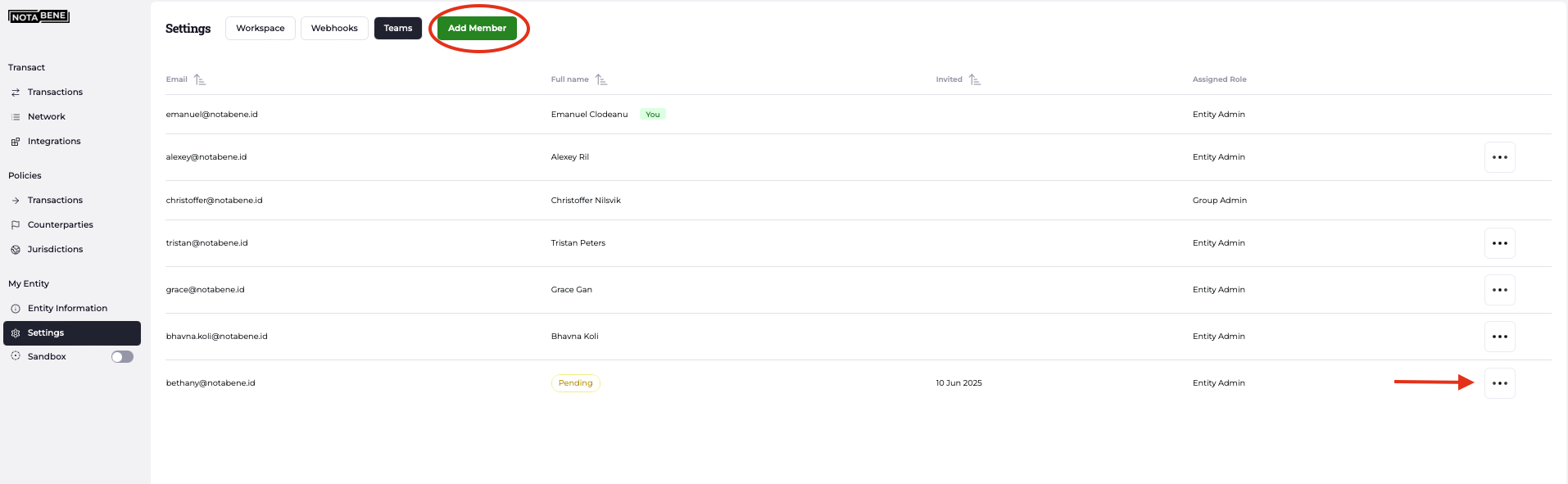
Manage your VASP’s team members by assigning appropriate roles and permissions:
- Add new members by clicking the green button in the top-right corner.
- Remove a member’s access by clicking the three-dot menu next to their name.
Please note that users can only create and manage users with a lower permission level than their own.
For example, an Entity Admin cannot create or manage another Entity Admin account, but can manage users assigned roles such as Analyst, Support, or Read-Only.
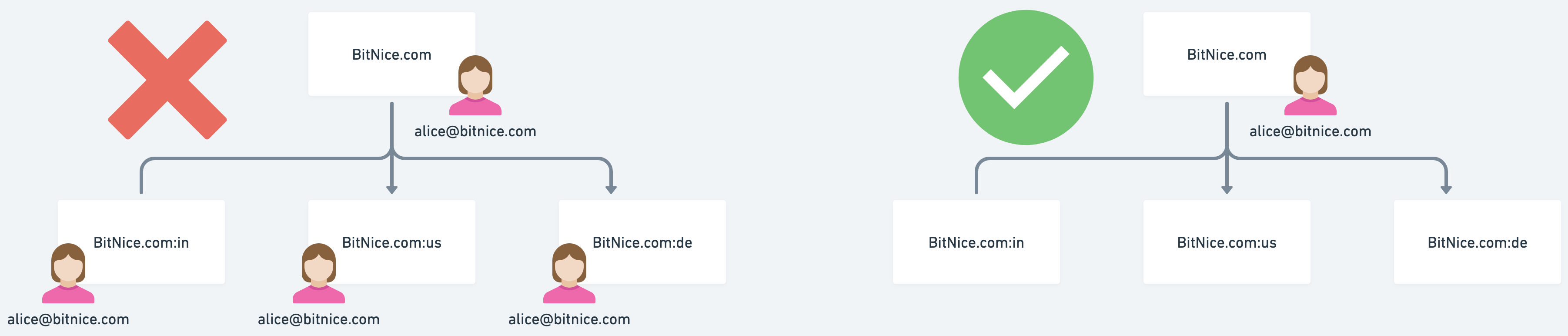
Mange your user in a multy entity setup:
If you need to work on several entities in parallel on the same browser in the context of a multi-entity setup, make sure your user is added only to the Gateway entity.
This will ensure you will be able to access all of the subsidiaries in parallel without getting any autentication errors.
Contact us at [email protected] if you have any questions or need our assistance.
Updated about 1 hour ago
Did this page help you?