
Revert Flow: Outgoing
The Revert Flow handles rejected withdrawals where a Travel Rule message could not be completed. Both parties involved in a transaction can initiate a revert request (both scenarios are covered in this article).
1. Revert Flow initiated by you.
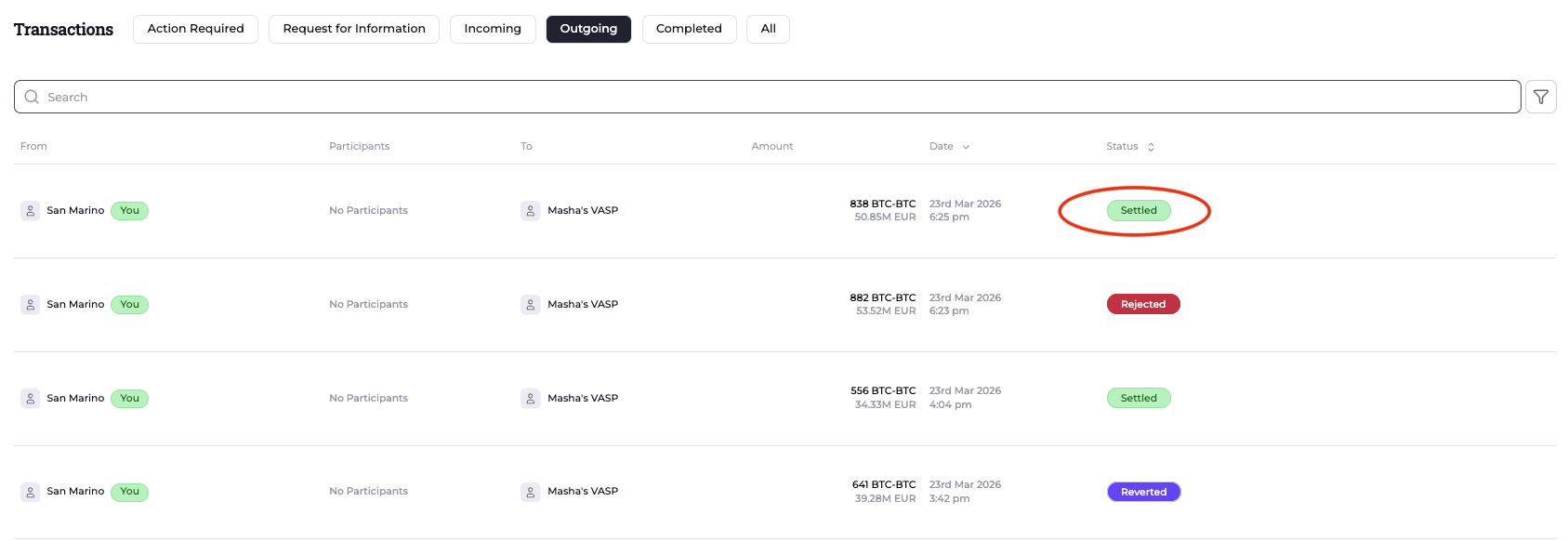
You can request the revert of a transaction that you initiated and that is in a Settled status.
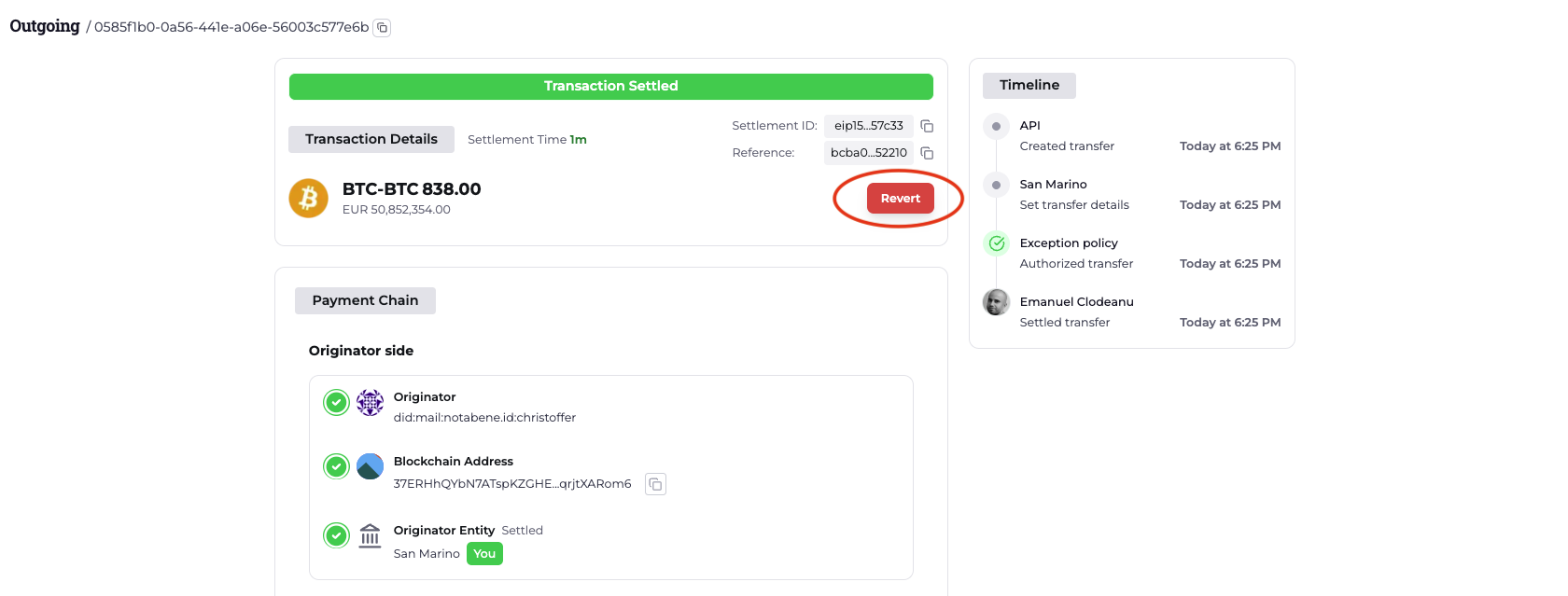
Access the transaction and click Revert. You will be prompted to provide:
- The blockchain address to which the funds should be returned
- A reason for the request (free text)
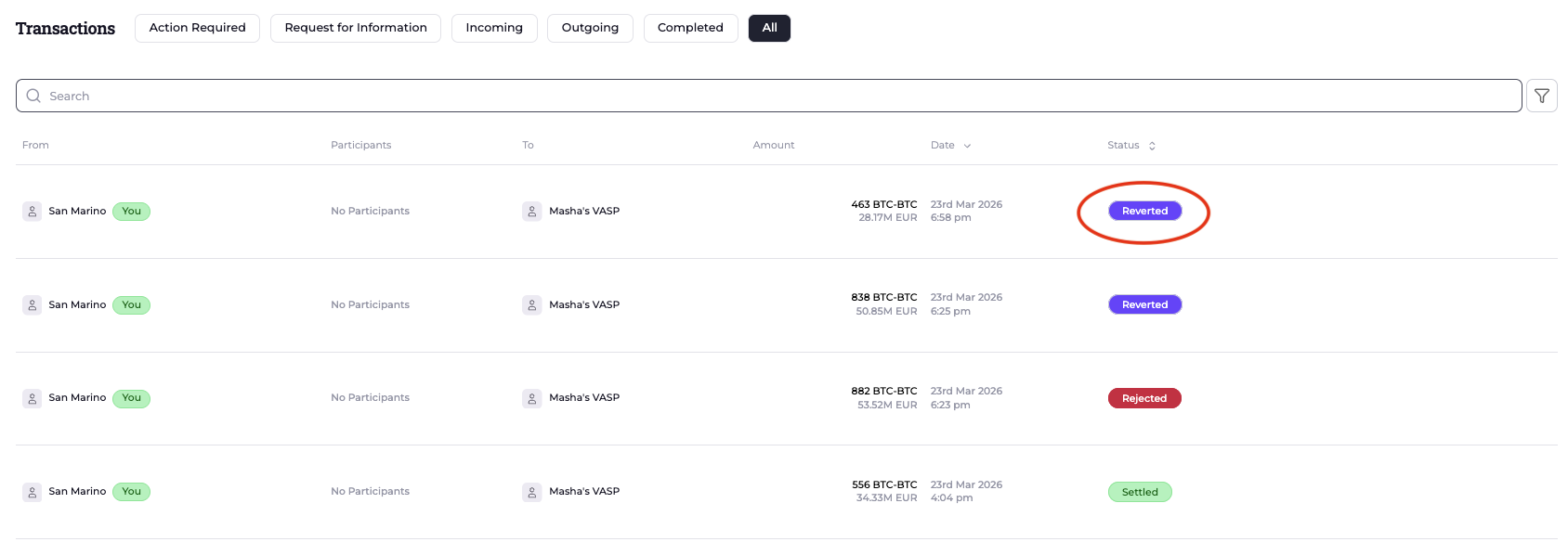
Once your counterparty authorizes the request, the transaction status will update to Revert Authorized. Once the funds have been returned, the transactions status will update to Reverted.
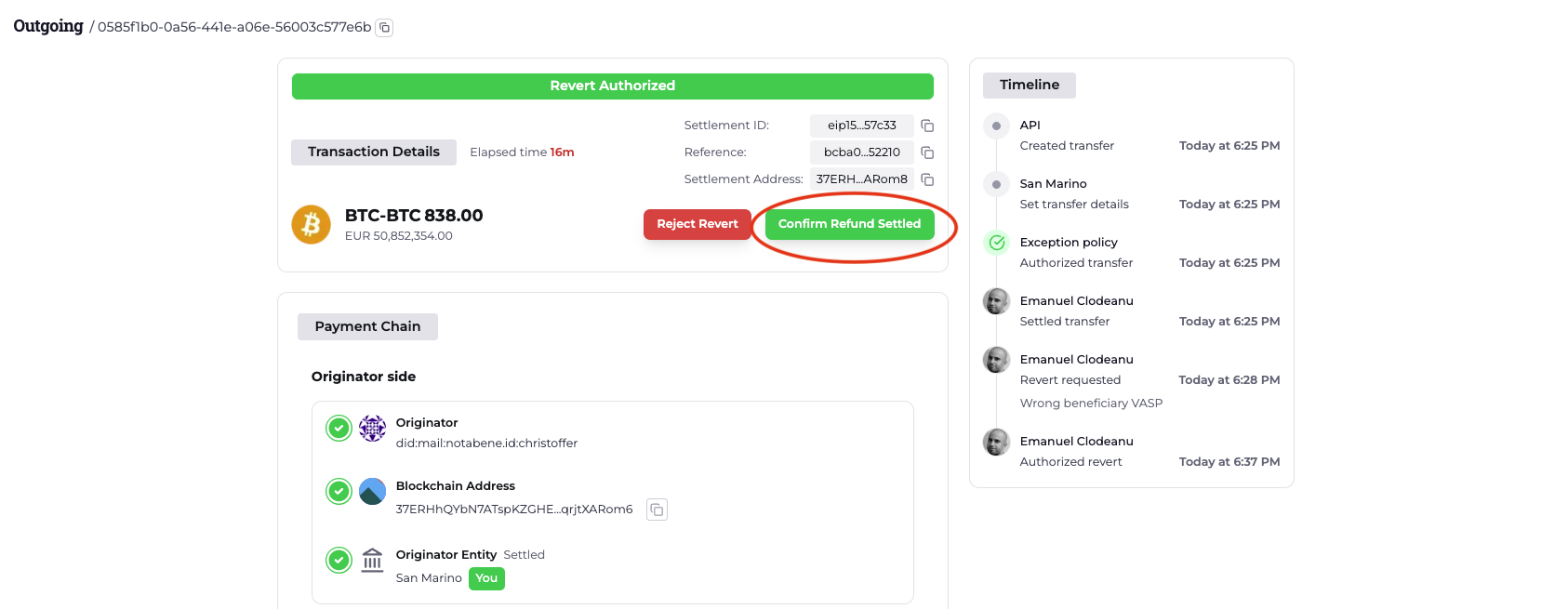
If the funds have been received but the transaction still shows as Revert Authorized, you can manually complete the process by clicking Confirm Revert Settled and providing the transaction hash.
2. Revert Flow initiated by your counterparty
You will find the transaction listed under Outgoing / All with a status of Revert Requested.
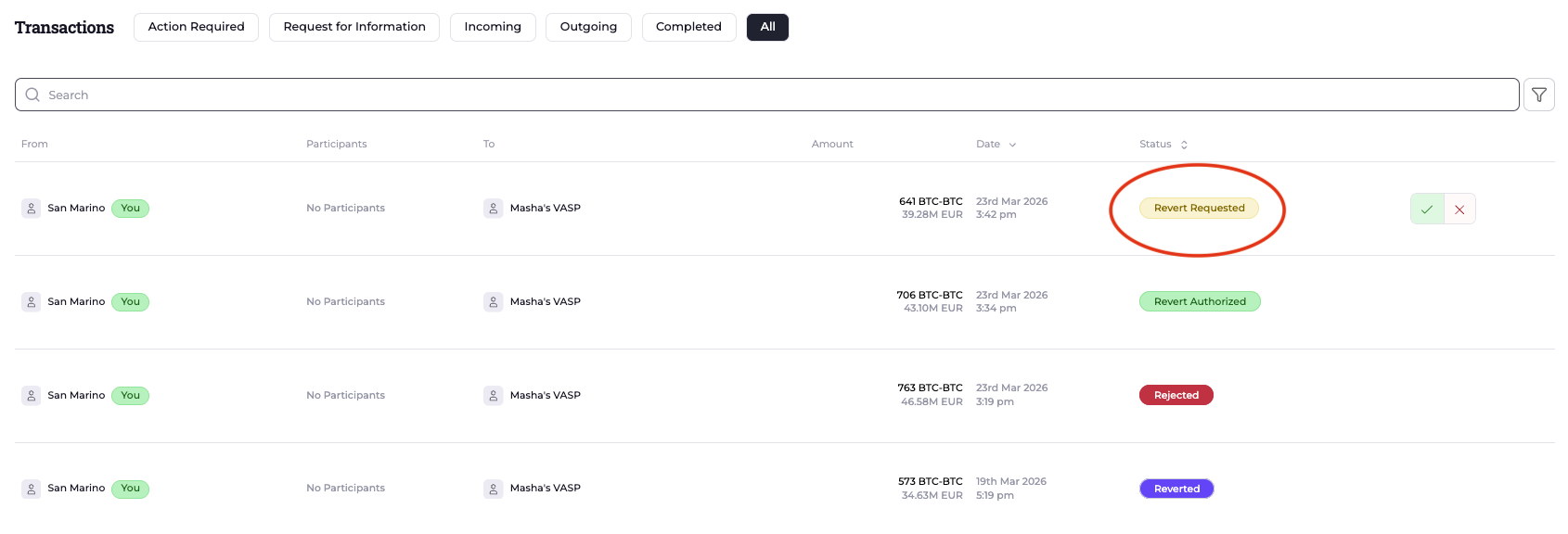
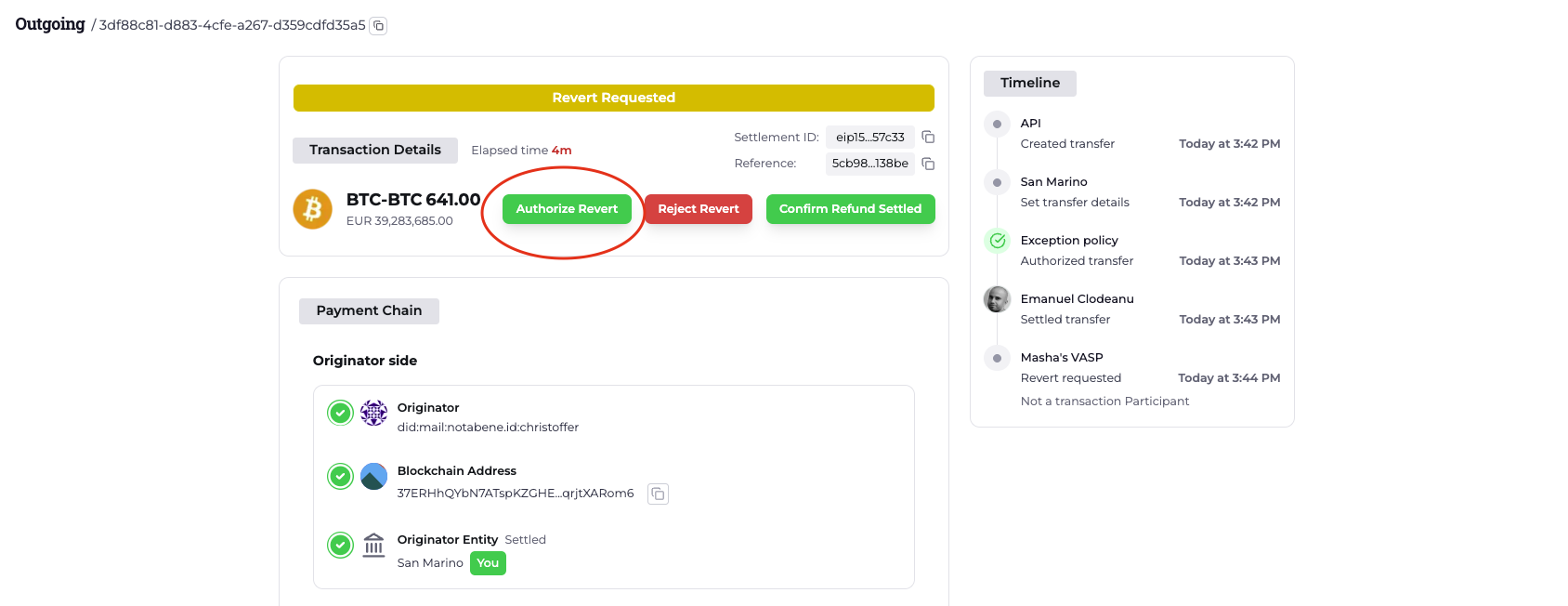
You can either Authorize or Reject the request:
- If you reject it, you will be prompted to provide a reason.
- If you wish to proceed with the return, click authorize and provide the blockchain address to which the funds should be returned.
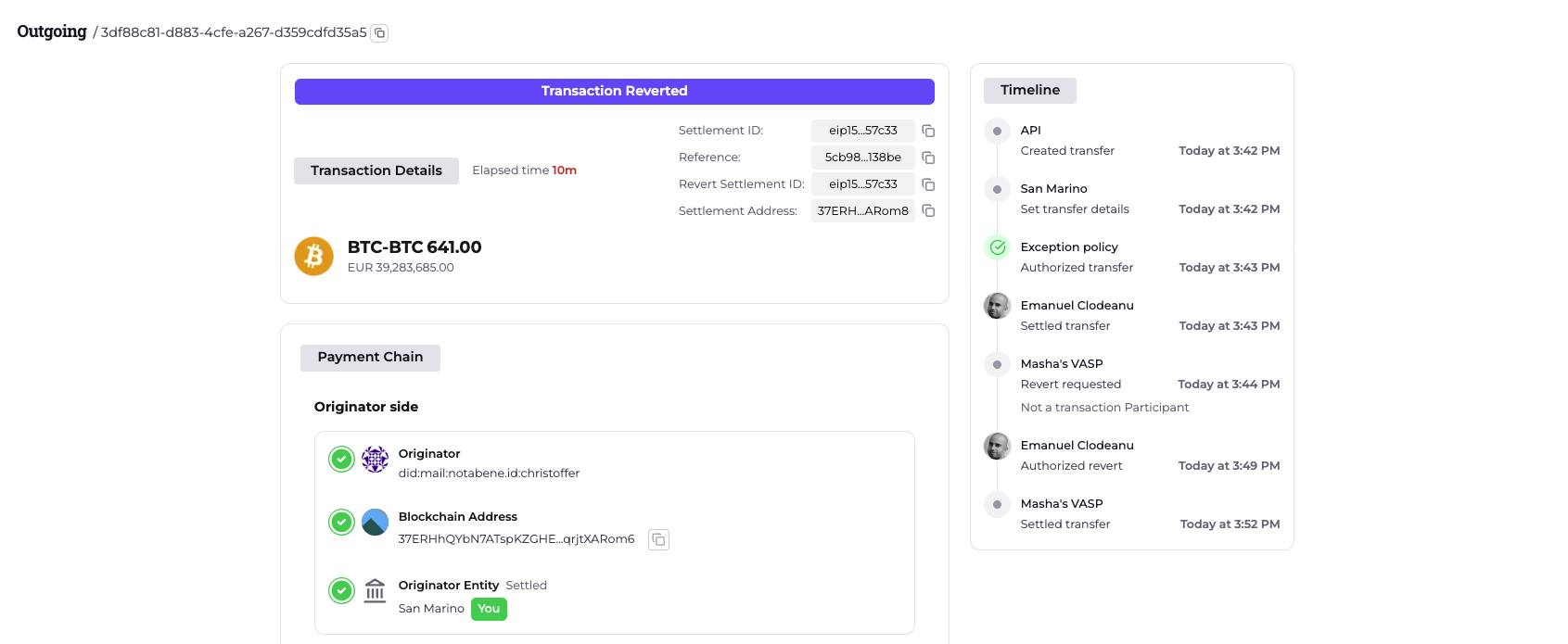
Once the funds are returned, the transfer status will update to Reverted and no further action is required.
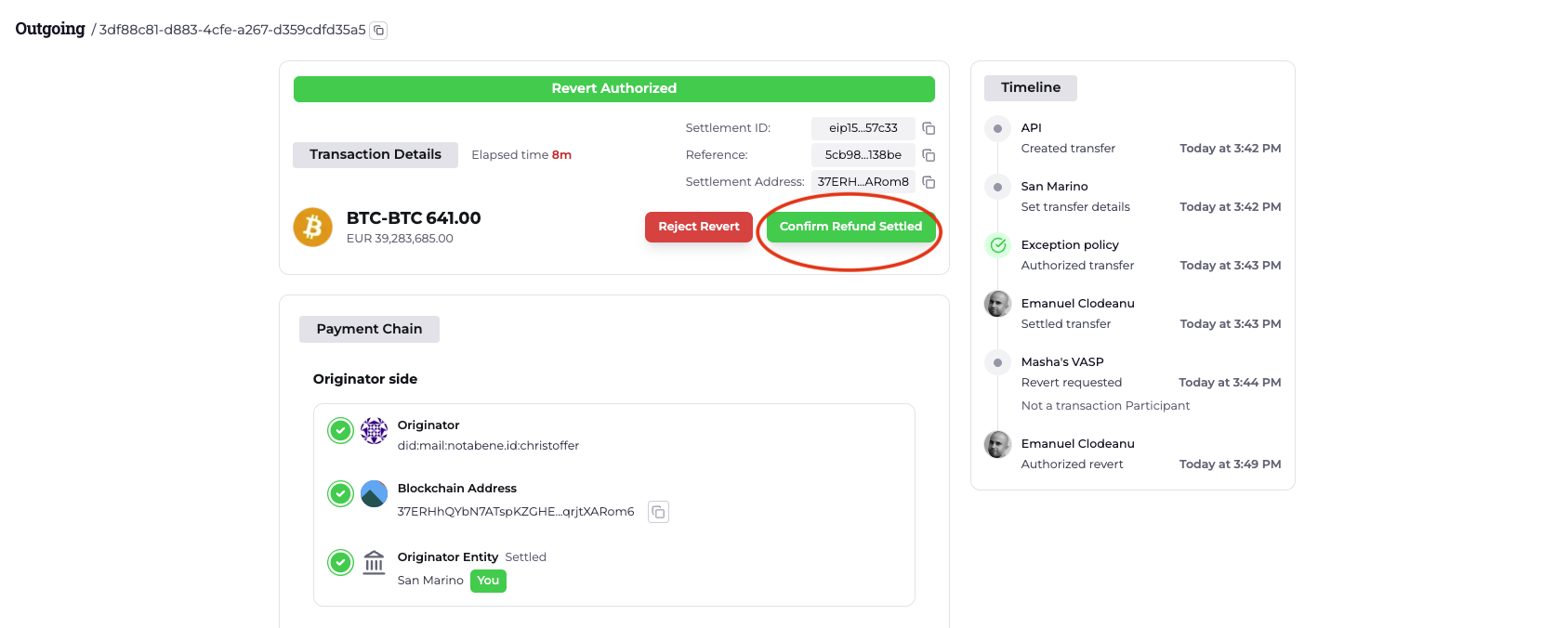
If the funds have been received but the transfer still shows as Revert Authorized, you can manually complete the process by clicking Confirm Revert Settled and providing the transaction hash.
Contact us at [email protected] in case you have any questions or need our assistance.
Updated about 1 hour ago