
Diagrams
Here you will find diagrams for withdrawals and deposits, showing how your system interacts with Notabene in both.
Withdrawals
1a: Data collection with Embedded Component
The diagram below shows the steps when your customer wants to request a withdrawal, and you have integrated the Notabene Embedded Component (widget) into your UI:
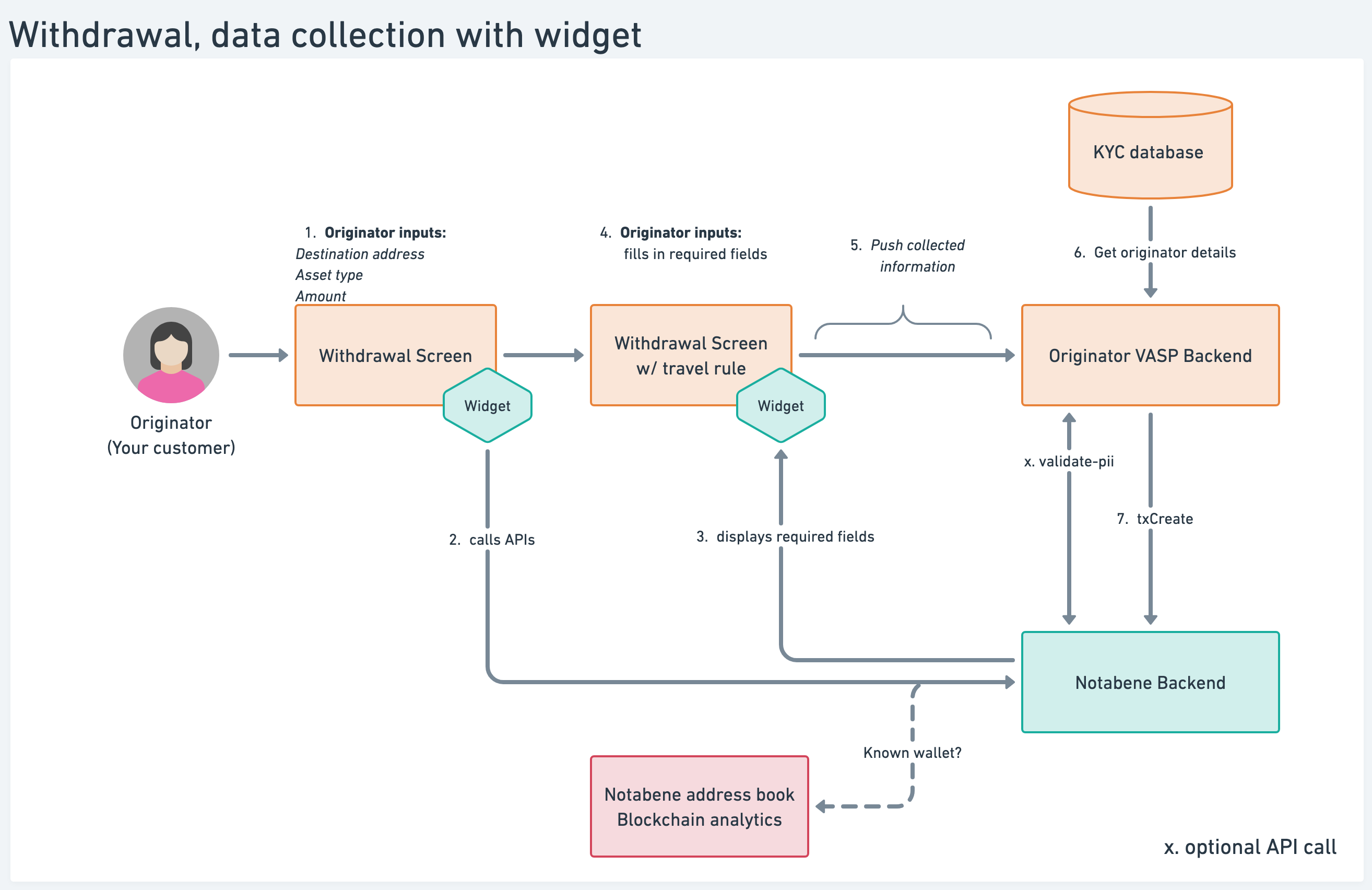
Once your customer has added the withdrawal information (asset, address, amount), the embedded component displays the required fields for the wallet itself and/or the beneficiary.
After the embedded component has collected all the data, push it to your backend, then pull the remaining PII for your customer from your internal KYC database.
Learn more about the SafeConnect Components
1b: Data collection with APIs
This diagram, similar to the above, shows the steps when using your **own custom-built
UI** to collect the required travel rule data:
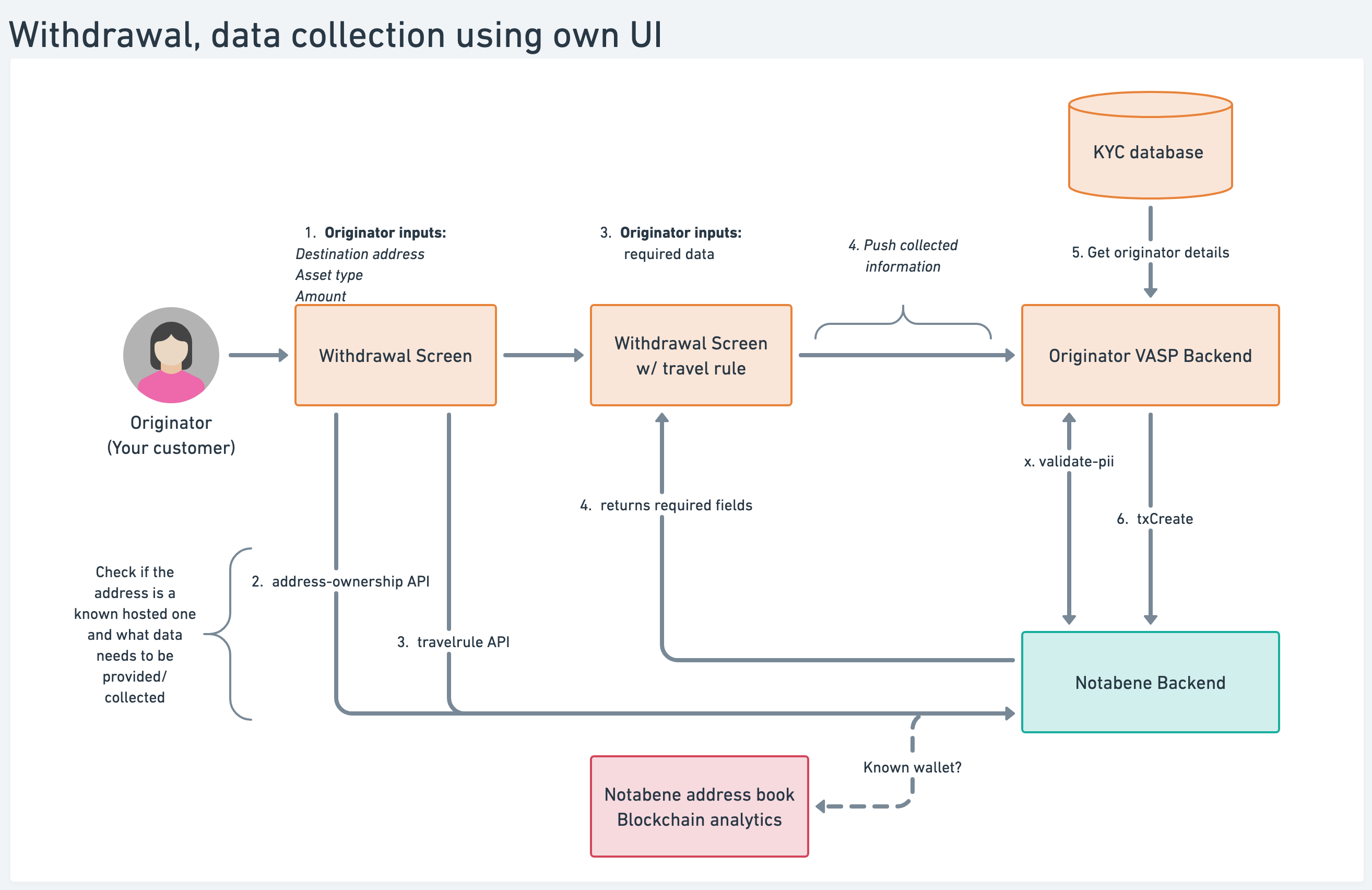
Here you can see that there are two APIs that you'd usually call after your customer has added the withdrawal details:
- Address Ownership API - returns information about the VASP hosting the destination wallet address, if available;
- GET /travelrule to check if your transfer is subject to the Travel Rule;
- GET /travelrule API- returns which PII fields need to be collected from your customer;
Note: if the Address Ownership API doesn't return an owner, you should have your customer declare whether the destination wallet is hosted or unhosted.
If it is hosted, you should have a search field in your UI from where they can input the name of the VASP, which in turn searches our network for a match.
The user selects the correct entity, and you use the vaspDID in a later API call when creating the message itself.
Learn more here
Using pre-collected/whitelisted data
If you require your customer to pre-register all addresses they want to interact with and they provide the type of wallet (unhosted or, if hosted, by whom), beneficiary name, etc., you might not need to make any changes to your UI and can jump straight to calling create transfer and transfer append
Using Notabene Embedded Component for interacting with the end userIf you are not already collecting this data from your customer but wish to start doing so, you can use the embedded component to collect the data, or build your own UI.
Learn more on the SafeConnect Components
Learn more in the data collectionsection.
2: Creating a TR transfer, getting status updates, and settling on-chain
Once you have all the required travel rule data about the beneficiary person, the beneficiary VASP, and your own customer, you are ready to create and send the travel rule message:
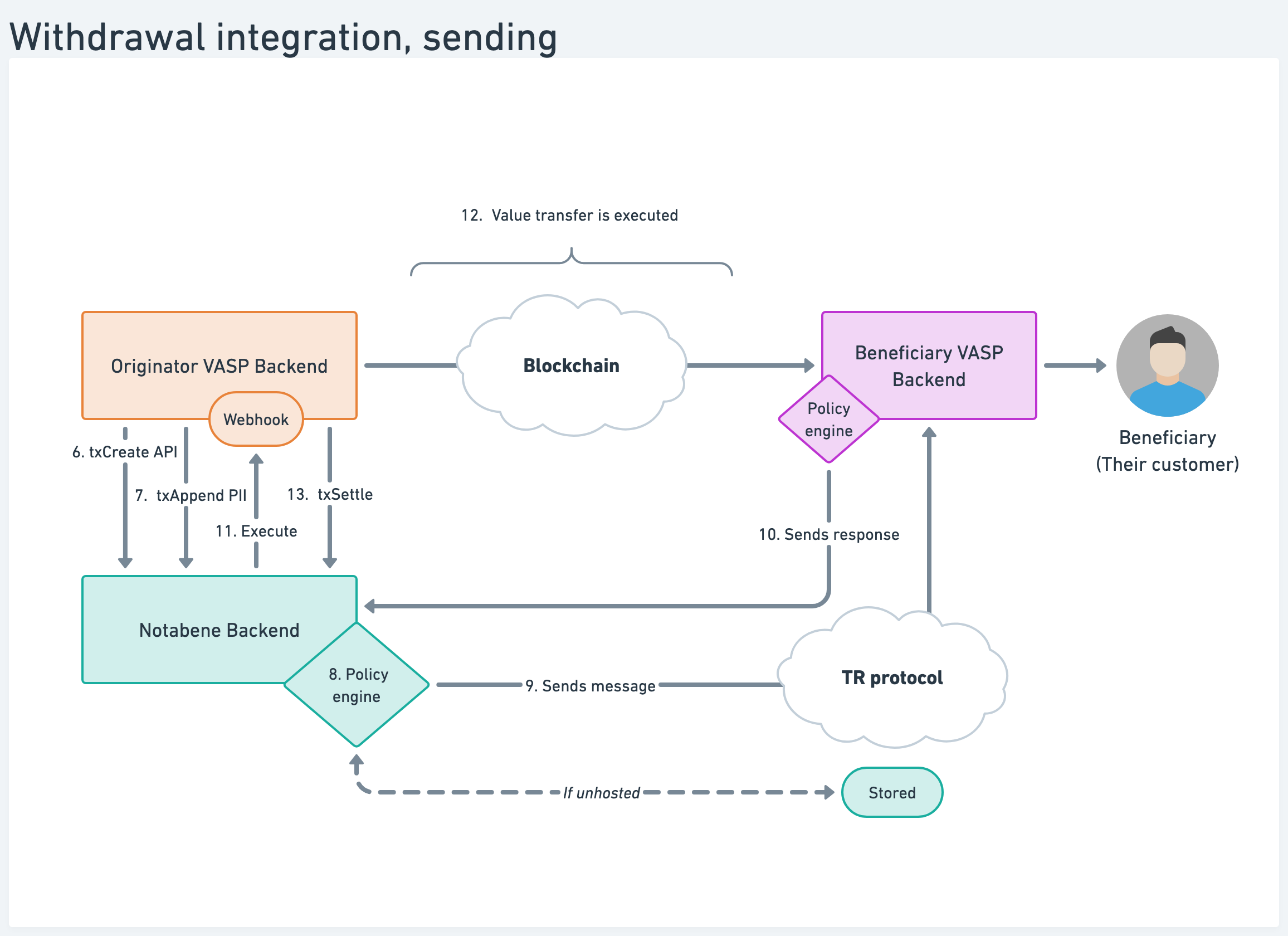
- Create transfers is used to create messages.
- Append PII or Present PIIis used to add the collected Travel Rule PII to your messages.
- A webhook is used to notify your system
- Settle a transfer is used to add the transaction hash to your messages after the blockchain validation
The policy engine checks if the outgoing message should be sent automatically, held for manual review, or rejected.
Learn more in the Create Outgoing transfers section
Deposits
There are a few scenarios that can happen when there is a deposit to your VASP:
- Deposit with travel rule: originator is a VASP and sends a travel rule message for that transaction
- Deposit without travel rule, this can happen when the originator is a non-custodial wallet or a VASP but is not sending a TR message for that transaction.
Deposit with travel rule
Here, the originator VASP sends a travel rule message and a deposit:
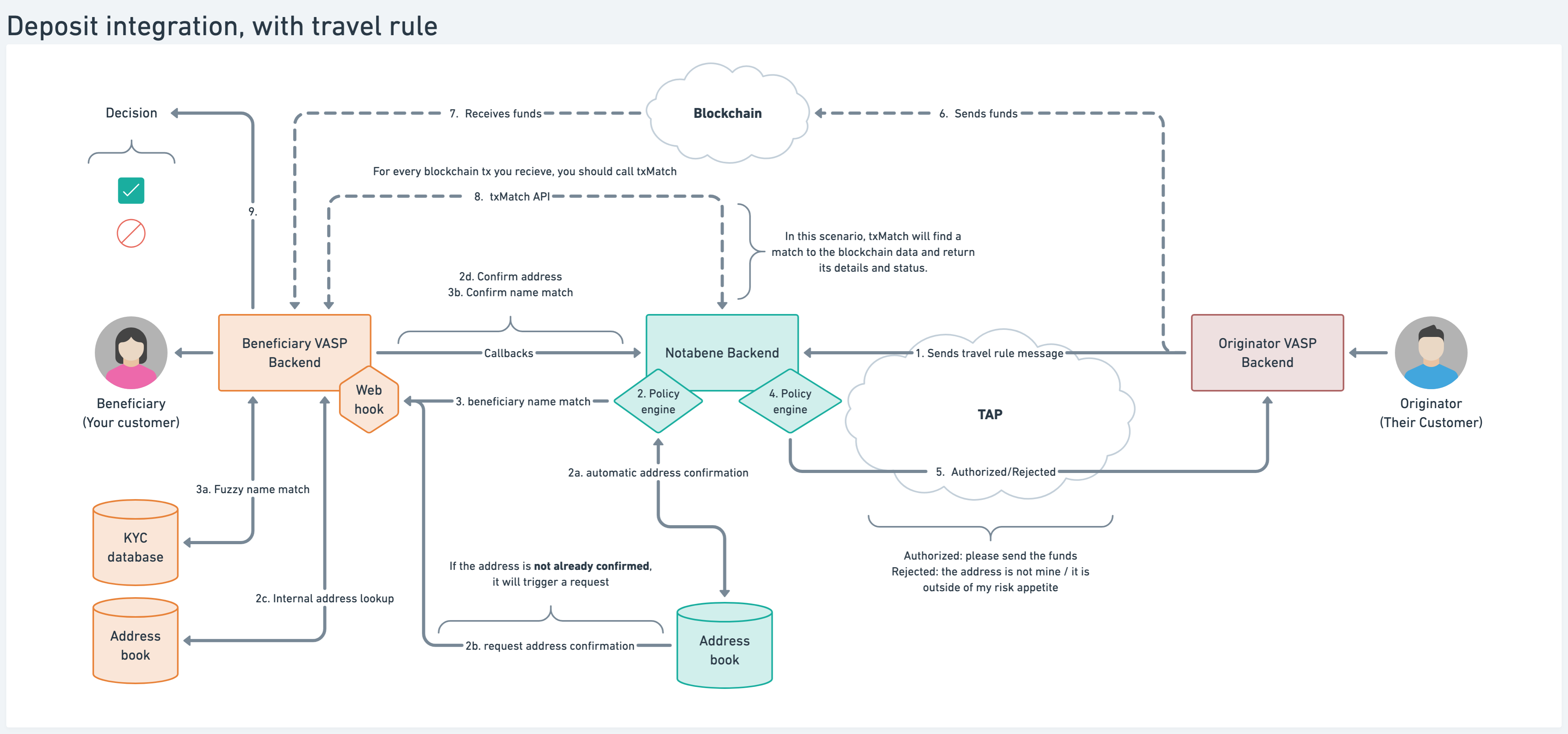
When you receive the travel rule message, confirm the destination wallet address first. This can happen automatically if it has been done before, or your side is triggered to confirm the address via a webhook message.
Once the address is confirmed as yours, your side might trigger a beneficiary name match before the automated policies can make a decision. Before or after your decision is made, the originator VASP executes the value transfer on the blockchain.
When your side detects this deposit, call txMatch using the blockchain details to identify the corresponding travel rule message. Based on the information in that travel rule message, you can decide whether to release the funds to the customer or withhold them for further checks.
Learn more in the Confirm address and subsequent sections.
Deposit without travel rule
This can be a deposit from an unhosted wallet, or an originator VASP that is not required to transmit travel rule data because of their threshold or regulation, or they might be using a different provider:
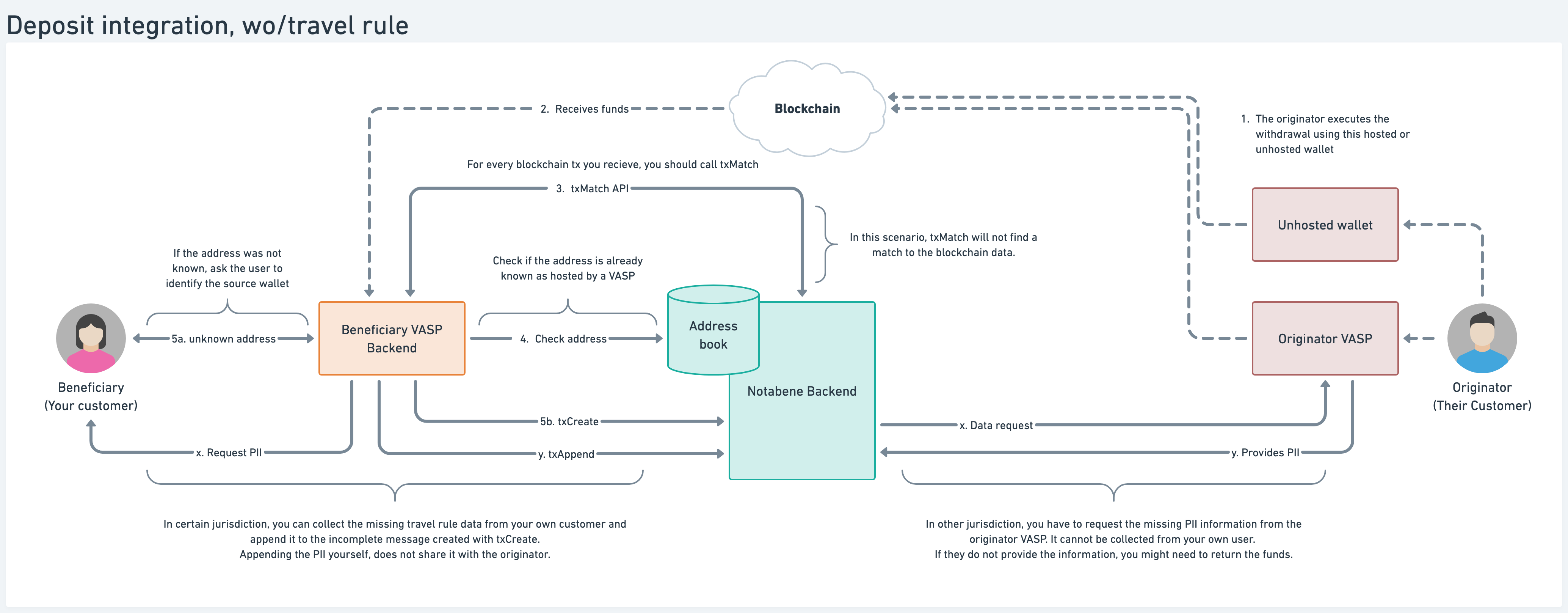
When your side calls txMatch, there is no travel rule message that matches the blockchain data.
You can now call create transfer with yourself as the beneficiary VASP, requesting the data from the originator VASP, or appending the missing travel rule data yourself with Append PII.
Learn more in the Reconcile received transfers section.
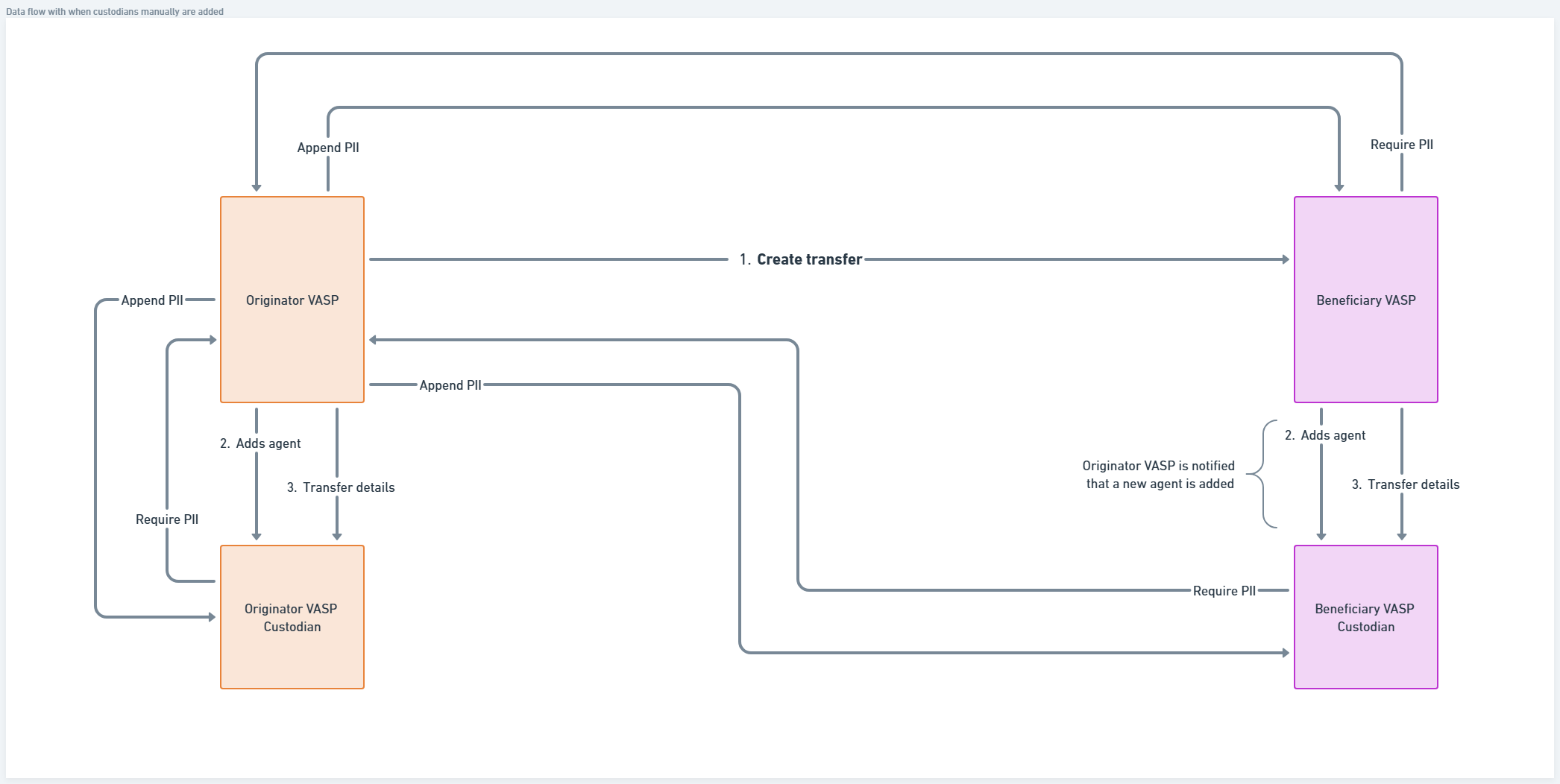
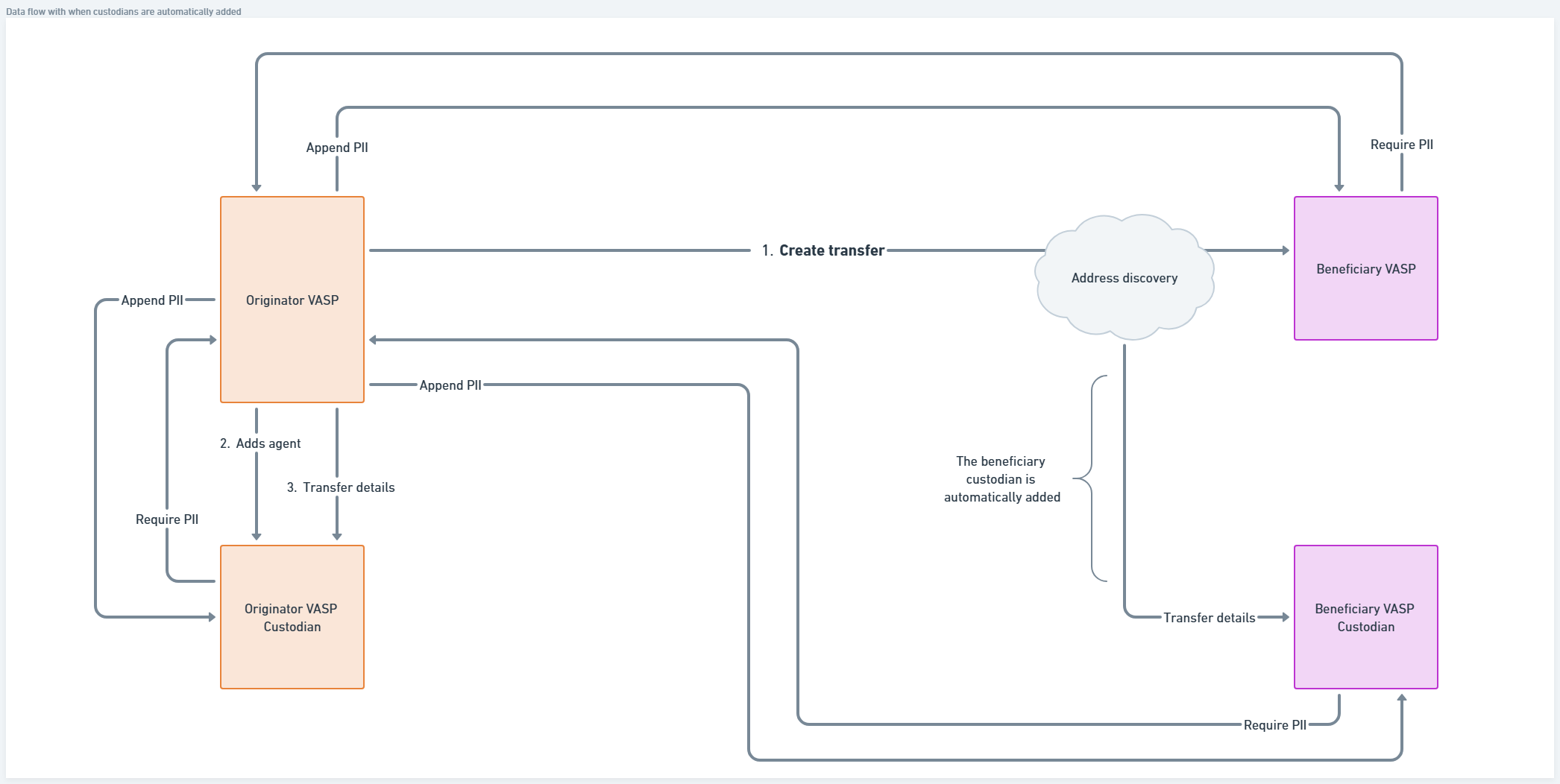
Withdrawals with custodians
If there are multiple parties in the payment flow, they can be added either by calling an API or automatically if that agent has registered the address in advance.
Custodian is manually added
Custodian is automatically added
Updated 7 months ago